
A monthly AI bill you know before launch
We estimate the cost per 1,000 calls of every AI feature in discovery and agree a monthly spend cap, with an alert at 80%. After launch, AI cost is tracked per customer account.

Your AI product, copilot or document pipeline runs on the right mix of model APIs, serverless GPUs and private hosting, sized to your traffic and budget.
4.9 on Clutch from 45 reviews · 500+ projects since 2013 · 45 engineers, including 4 ML engineers
Our AI infrastructure solutions host, serve and scale the models behind your AI product or internal tools. We start on managed model APIs and move a job to GPUs or your own cloud only when cost, privacy or speed pays for it. It is part of our machine learning and data engineering services.
AI model hosting puts each model your product calls in the right place: a managed API, a private deployment in your cloud tenant, or an open-weight model on your servers. LLM hosting is chosen per feature, so each one gets the price and privacy it needs.
Each model sits behind an API your app can call, with timeouts, retries and clear errors when something goes wrong. LLM serving gets a second provider or a rule-based answer as backup, so one provider’s outage doesn’t stop your users.
LLM inference optimization cuts the cost and wait of each AI call: plain code handles the easy cases, and the smallest model that passes your tests takes routine jobs. Your AI bill grows more slowly than your user base.
A self hosted LLM runs an open-weight model such as Llama, Qwen or Mistral inside your own cloud account, sized for moderate traffic. It suits data that must stay on your network, and you keep the weights, prompts and logs under your own keys.
Image generation, computer vision and batch jobs run on serverless GPUs that start when work arrives and scale to zero when idle. You pay for the GPU seconds you use, not for a server that waits overnight.
An infrastructure review looks at an AI feature already in production: its model calls, monthly bill, response times and what happens when a provider fails. You get a ranked list of fixes, each with its estimated monthly saving or speed gain.
Our cloud services set up the AI cloud infrastructure around your models, and our DevOps services run the releases.
Which model runs a job, and where, sets what each AI call costs. In a Cloudera survey of 1,500 IT leaders, reported by iTWire in November 2026, 89% had already limited or redesigned AI use cases because of rising token consumption. So we price the AI before we build it.
Many AI calls don’t need the biggest model. In Vercel’s July 2026 AI Gateway Production Index, open-weight models carried 29% of gateway tokens in June on just under 4% of spend. We send each job down the cheapest path that still passes your tests.
After launch, we watch response time, error rate and AI cost per customer account. Model quality and retraining are covered under MLOps and LLMOps.
Stay on managed model APIs until a benchmark on your data shows a clear saving, or a privacy rule they can’t meet. In Futurum Group’s October 2026 research, self-hosting costs held up 50% of pilots, up from 40%.
Training or fine-tuning an open model first?
Three early builds, each shaped by one hosting or inference choice.

We self-host the FLUX.1 Kontext image model on serverless L40S GPUs alongside Google’s Gemini image API, behind one FastAPI endpoint. Two image models avoid lock-in to one paid API, and a rule-based prompt fallback adds a further backup. Prompts the image API refuses go to the self-hosted model instead, on a GPU endpoint built to scale to zero when idle.
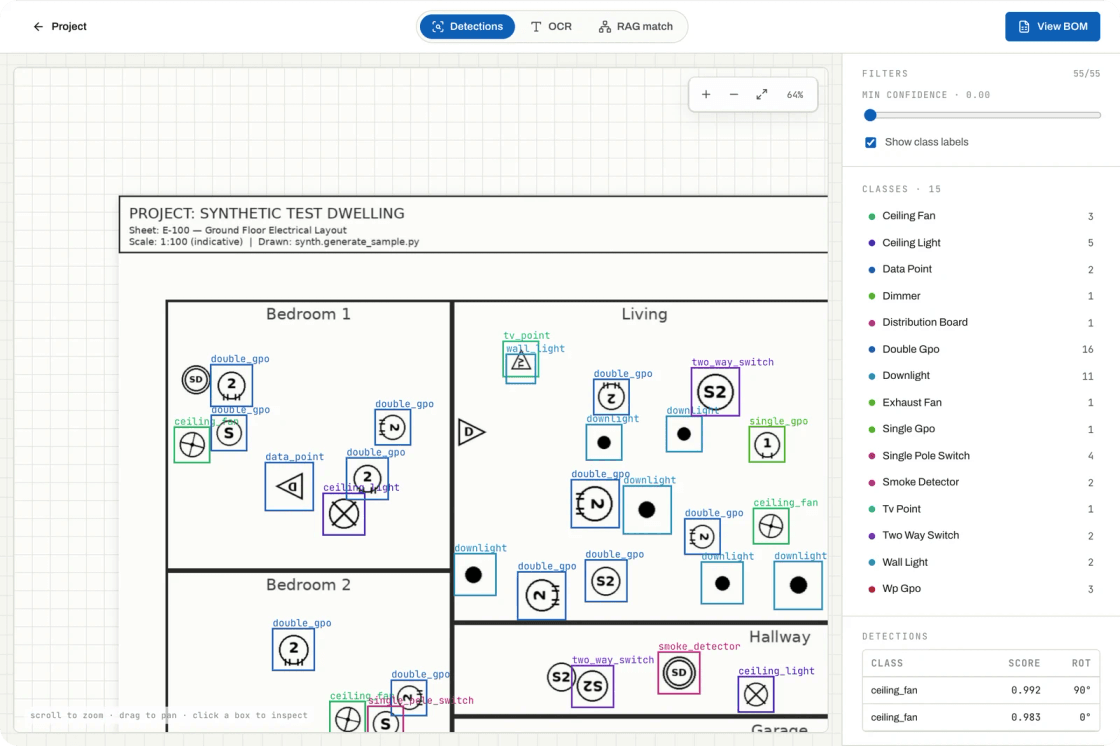

A PDF drawing set becomes a priced bill of materials. Symbol detection runs a YOLOv8 model exported to ONNX on a standard CPU, and Claude sorts pages, crops the plan area and writes the estimator note, but never counts. Symbol detection took 26 seconds per plan page on a standard CPU, with no GPU, in tests on synthetic drawings.
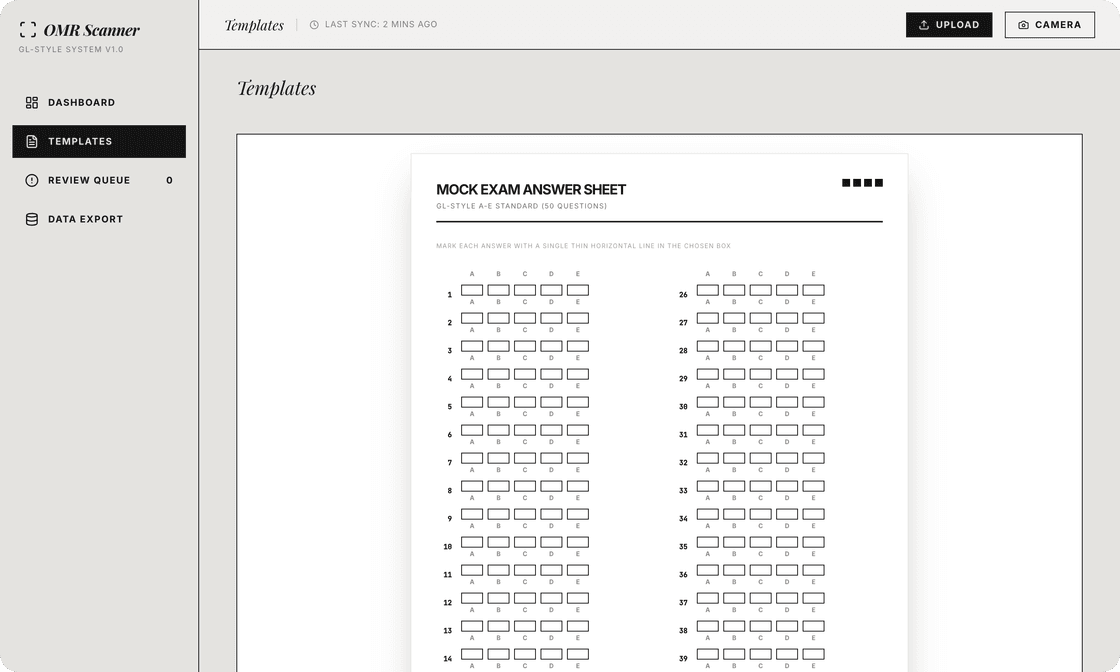

Each sheet makes at most one AI call: the unclear boxes are batched into a single request to Claude Haiku, a small, low-cost vision model. If the AI call fails, the box goes to a review queue instead of a guess. Clear marks never reach the AI, so the model is called only for the unclear few and AI cost per sheet stays predictable.
Across the 8+ projects we built with Claude Code in the last year, delivery took up to 50% less time than comparable builds the year before.
Paid proof of concept
2–4 weeks
Phases 1 and 2 with a thin working build
One AI feature
4–6 weeks
Phases 1–3 fold into 1–2 weeks; the build takes one sprint
Production AI platform
8–14 weeks
Several AI features or customer accounts
Multi-model platform
4–8 months
Built in phases
AI infrastructure work with Techuz costs from $4k–10k for a paid proof of concept to $50k+ for a multi-model platform with private hosting, built in phases. Model fees and GPU time are paid by you straight to the provider, estimated per 1,000 calls before the build. In VentureBeat’s August 2026 research, 69% of enterprises running their own GPUs reported utilization of 50% or less, so we size GPU work to per-second billing, not to servers that sit idle.
$4k–10k
Proof of concept
2–4 weeks
Two or three hosting options tested on your data
$10k–25k
One AI feature
4–6 weeks
A cheaper model, a gateway with a fallback, or serverless GPUs
$25k–50k
Production platform
8–14 weeks
Several AI features or accounts, cost tracking and load tests
$50k+
Multi-model platform
Built in phases · 4–8 months
Model routing, private hosting, monitoring and re-tests
Proof of concept
2–4 weeks
Two or three hosting options tested on your data
$4k–10k
One AI feature
4–6 weeks
A cheaper model, a gateway with a fallback, or serverless GPUs
$10k–25k
Production platform
8–14 weeks
Several AI features or accounts, cost tracking and load tests
$25k–50k
Multi-model platform
Built in phases · 4–8 months
Model routing, private hosting, monitoring and re-tests
$50k+
Every estimate covers discovery, build, load testing, QA, project management, the runbook and 30 days of free support.
Your prompts and data go only where you approve, and each practice is checked before launch.
More on AI security.
Each tool is picked for its job, and the reason goes into the architecture document you sign.
Closed models for text and tool use; open models where privacy or cost calls for them
One API across providers, or models inside your own tenant
Per-second GPUs that scale to zero; light formats for CPUs
Event-driven jobs and storage in your account
Errors, response time and cost visible from the first release
Techuz doesn’t run GPU clusters at scale, such as vLLM or TGI on Kubernetes with strict throughput targets; we’d bring in a partner. We don’t build Kubeflow, Vertex AI or SageMaker platforms, run 24/7 ML operations or set up data warehouses. If your search is keyword lookup over a small catalog, plain database search costs less than any AI hosting.
AI infrastructure is the compute, hosting, serving and monitoring that AI models need to run inside a product. It covers model APIs or GPUs, the gateway that routes calls, storage, and the tools that track cost and speed. Techuz sets it up in your own cloud account, sized to your traffic.
Most AI features need less than buyers expect: a managed model API, a gateway with a fallback, storage for files and vectors, and monitoring for cost and errors. A startup can launch on just that, with a spend cap per feature and no GPU servers. Techuz adds GPUs only for image, vision or training jobs, or when a benchmark shows that self-hosting pays off.
Use an API unless a benchmark on your data shows a clear saving, or a privacy rule that managed APIs can’t meet. Self-hosting adds servers, scaling and model updates to run. Techuz tests both options on your real examples in a 2–4 week paid proof of concept before you commit.
For most AI agents, the best setup is a managed model API behind a gateway, with serverless jobs for heavy steps such as document parsing or image work. Keep it all in your own cloud account, so tool calls, files and logs stay with you. Techuz sets this up on AWS or Azure, with a spend cap per feature.
AI infrastructure covers where models run and what each call costs: hosting, serving, GPUs and inference speed. MLOps covers a model’s life: evaluations, answer-quality monitoring, versions and retraining. Techuz handles both, and most products need the infrastructure in place first.
Tell us what you're building. We reply within 24 hours and send a ballpark estimate within 48.


