Enterprise AI integration for the systems your business already runs

Add AI to the CRM, ERP, finance and operations tools your teams use every day, so it works from your own records instead of a separate chat window.

4.9 on Clutch from 45 reviews · 500+ projects since 2013 · Payment, banking, e-signature and messaging integrations live in our builds

Enterprise AI integration, system by system

Our enterprise AI integration services put AI to work inside the CRM, ERP, finance and support systems you already run. Unlike enterprise integration services that only move data, we start with the workflow where AI saves your team the most hours.

  • AI API integration

    AI API integration adds a small service beside your system that calls Claude or GPT models through your back end, with keys kept on your servers. Your screens and database stay as they are.

  • AI inside your CRM

    An AI CRM integration uses the customer data in your CRM and messaging tools to pick who hears about what, then sends through your existing channels. Campaigns reach the right people without anyone building lists by hand.

  • Legacy systems and ERP

    Legacy system AI integration starts with a safe way to read the data: an API, or a read-only feed or export we build first. AI ERP integration follows the same route, so orders and prices reach the AI while your core system runs untouched.

  • Documents into your records

    Uploaded CVs, supplier offer emails and other documents are read by AI and turned into fields your system can store and check. Staff review a filled form instead of typing one from scratch. See intelligent document processing.

  • AI steps inside approval workflows

    Approval flows, scheduled jobs and webhook-driven updates get an AI step where judgment helps, such as sorting, drafting or checking a request. People still sign off what moves money or changes a record. See business process automation.

  • Agent tool layers and MCP servers

    When AI agents need to act, we expose your systems as permission-checked tools, through your REST APIs or MCP servers we build. Agents get only the actions you approve, and new tools can be added later without rebuilding the agent. See enterprise AI agents.

Adding AI to a product you sell, rather than to internal systems?

Why build AI into your systems, not beside them

AI pays off when it works where your data and your people already are. In NashTech’s February 2026 report, 40% of 1,000 technology decision-makers named integration as their biggest challenge.

One source of truth for every answer

The AI reads the records your teams already trust, not a copy pasted into a chat tool. Answers stay current when the data changes, and nobody has to maintain a second dataset.

No new tool to learn

Suggestions, drafts and summaries appear on the screens people open every morning. Adoption doesn’t depend on persuading a team to log in to yet another app.

Running costs you can see

AI cost is tracked per organization after launch, so each team’s usage shows on one bill.

Four ways AI can connect to your systems

How AI connects decides how much of your setup has to change. We pick the lightest route your system allows and write it into the integration design you sign. In GFT Technologies’ September 2026 study, 84% of 945 CIOs and CTOs said legacy limits had made their company cancel an AI pilot or project.

A service beside your system’s API

When it fits: The system has a REST API or sends webhooks. What we’ve shipped: Payout and e-signature events accepted only after signature checks; bank payouts through a corporate banking API.

Event-driven AI steps

When it fits: Work starts when something happens: an upload, a form, a status change. What we’ve shipped: An uploaded CV pre-fills a profile; an approved invoice releases payouts.

Read-only feed or export

When it fits: No usable API, or a system nobody wants touched. What we’ve shipped: Order exports loaded into a database shaped like the client’s ERP, so a live read-only feed can replace the files later.

Tool layer for agents (REST or MCP)

When it fits: AI must take actions, not just read. What we’ve shipped: An assistant with 55 tools that searches and acts on quality records inside each user’s permissions.

Desktop screens with no API, such as mainframe or Citrix apps at scale, need RPA, which we don’t build. We’ll tell you that in the first call. See technical architecture.

Vendor AI add-ons or a custom integration: which fits?

Use the AI add-on your CRM or ERP vendor sells when the job stays inside that one product. Choose a custom integration when the work spans several systems, follows your own rules or must keep data in your cloud.

Vendor AI add-ons or a custom integration: which fits?
Vendor AI add-onCustom integration with Techuz
Systems it can seeMostly the vendor’s own productEvery system you connect, through APIs, feeds or tools
Your business rulesThe vendor’s settingsYour rules in code, versioned in your repository
Model choiceWhatever the vendor pickedClaude, GPT or others, chosen per job and switchable
Where data goesThe vendor’s cloud and termsYour cloud; Azure OpenAI in your own tenant when data can’t leave
CostPer-seat license feesBuild cost, plus running costs estimated monthly before you approve
Who owns itThe vendorYou: code, prompts and keys sit in your accounts

Not sure which fits?

Start with AI consulting.

Work from our AI integration company

Three builds where AI had to fit around systems the client already had.

Deal match project mark

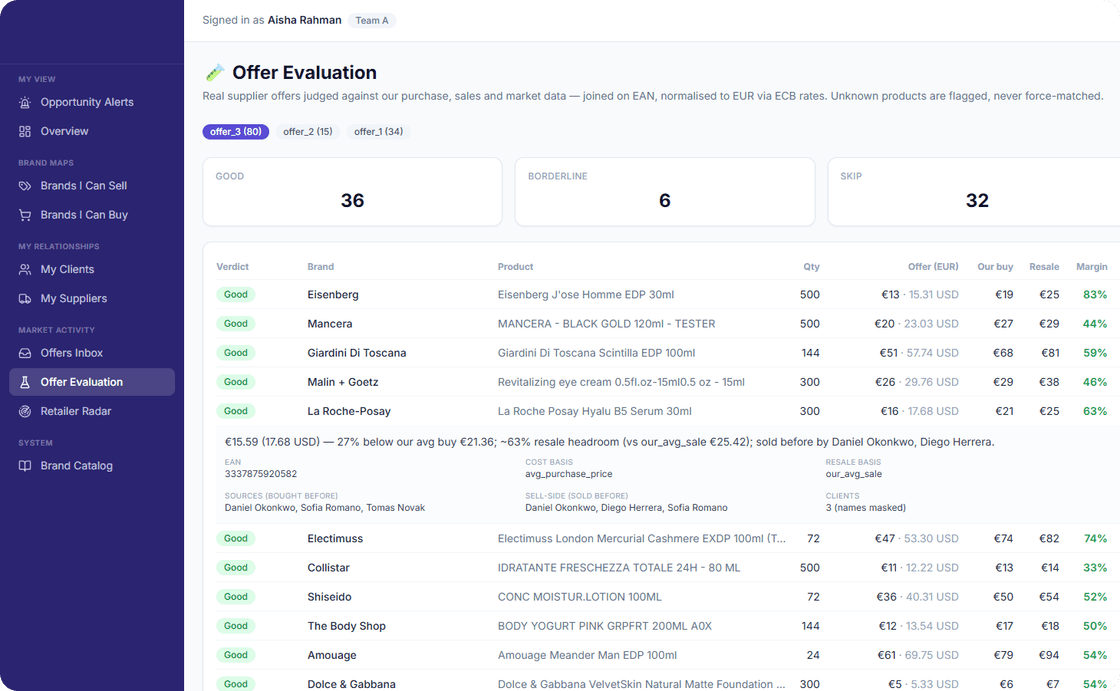
Deal-matching web app for a beauty wholesaler

Wholesale distribution, Netherlands

Supplier offer emails are read by Claude Haiku and turned into structured offers that traders check and accept. Order exports load into a database shaped like the client’s ERP, ready for a live read-only feed later, and each trader sees only their own clients and suppliers, enforced on the server. In the trial, all 3 supplier offer formats were parsed.

Team
1 AI/ML engineer
Timeline
About 3 weeks
Budget
Under $30k
Deal-matching web app for a beauty wholesaler — Wholesale distribution
Crew payments platform for film and TV — Media production
Client logo

Crew payments platform for film and TV

Media production, India

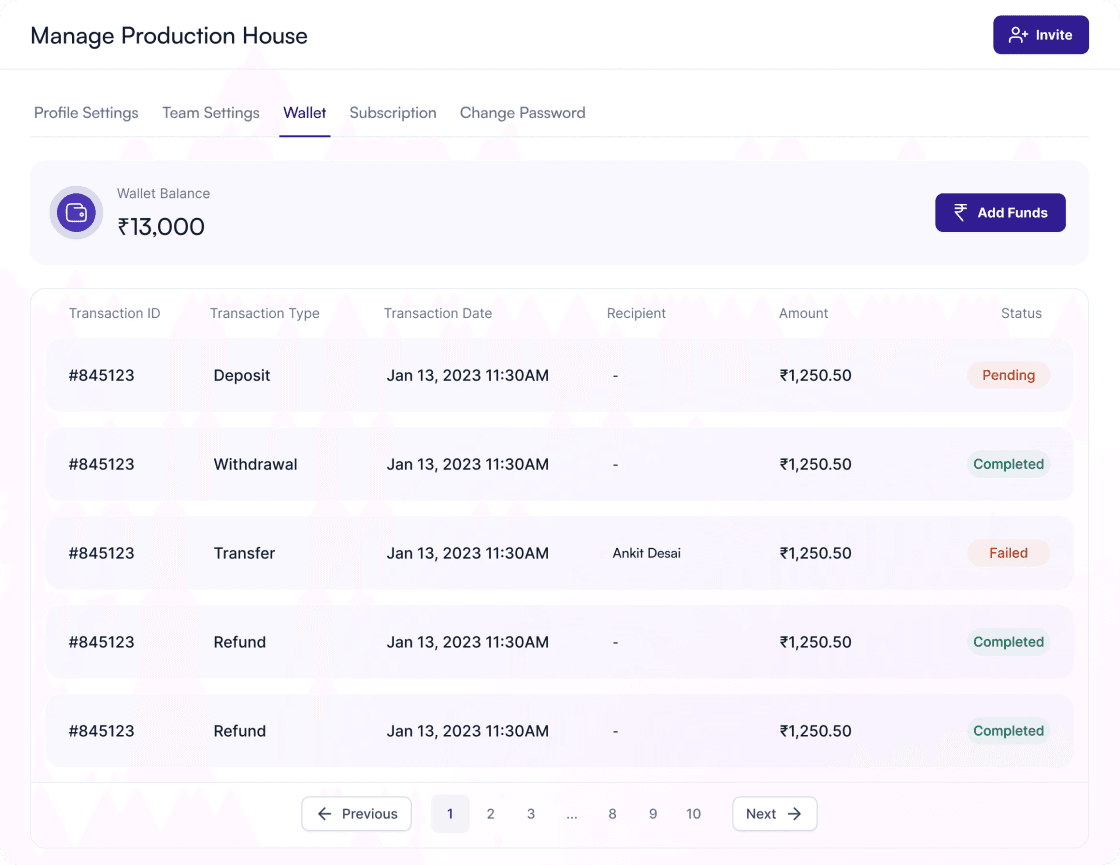
A Cashfree payout only updates when its webhook passes signature and timestamp checks. Crew contracts go out through Zoho Sign, and the signed copy and certificate come back automatically. An AI assistant answers from each production’s own documents, kept in a separate search index per project. GST, TDS and crew payouts stopped being manual work, while approvers still sign off every invoice.

Team
5 people
Timeline
About 22 months
Budget
$50k–100k
Live IT training marketplace — EdTech marketplace
Client logo

Live IT training marketplace

EdTech marketplace, India

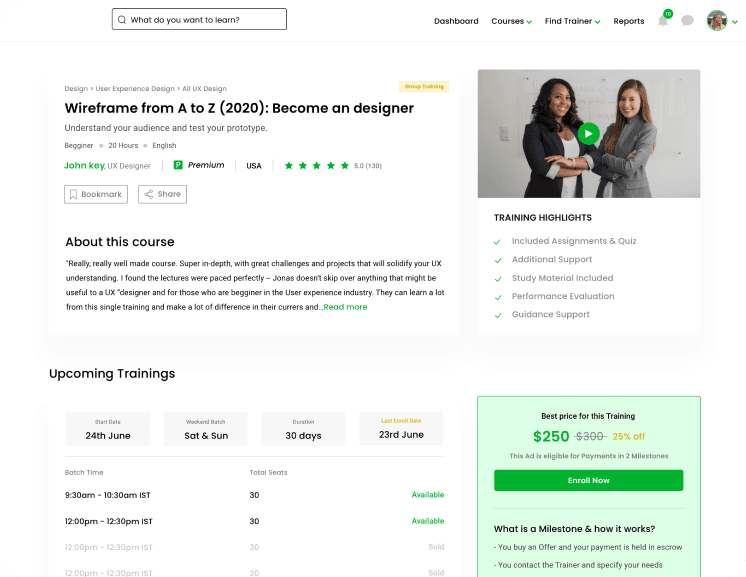
Affinda reads each uploaded CV and pre-fills the trainer’s profile, and GPT drafts the bio. GPT turns a vague search such as “.net trainer” into skills, which also target WhatsApp promotions. Learner progress triggers nudges, and trainers receive direct bank payouts on a schedule. CV parsing, GPT bios and AI skill search ran in production across a marketplace with 7 user roles.

Team
12 people
Timeline
20 months
Budget
Over $100k

How an enterprise AI integration project runs

A single integration takes 4–6 weeks, a project across several systems 8–14 weeks, and a cross-department rollout 4–9 months. We ask for system access and sample data in week 1, since vendor sandbox delays usually stretch timelines.

How long it takes
  • One integration

    4–6 weeks

    Discovery and design in a week, build 2–3 weeks, a one-week shadow run

  • Several systems

    8–14 weeks

    2–4 workflows, 3–6 connected systems

  • Cross-department

    4–9 months

    Phased by team

Five phases

How much does enterprise AI integration cost?

Enterprise AI integration with Techuz costs $4k–10k for a proof of concept, $10k–25k for one integration and $25k–50k across several systems. Cross-department work is $50k+, built in phases.

Typical cost by project size (steps not to scale).
  1. Proof of concept

    2–4 weeks

    One AI step tested on your real records, read-only

    $4k–10k

  2. One integration

    4–6 weeks

    AI added to one system or one workflow

    $10k–25k

  3. Several systems

    8–14 weeks

    2–4 workflows, 3–6 connected systems, review screens and a shadow run

    $25k–50k

  4. Cross-department

    Built in phases · 4–9 months

    Agents with many tools across several enterprise systems, rolled out by department

    $50k+

What moves the price

  • How many systems, and how open they are
  • Document variety
  • Accuracy targets
  • Write actions
  • Data-residency rules

What’s included

QA, project management, the running-cost estimate and 30 days of free support. Model usage is paid to the provider directly, and support plans of 40, 80 or 160 hours a month follow.

How do we keep AI inside your access rules?

By giving AI only the access each task needs, then testing that it can’t take more. In Teleport’s February 2026 report, over-privileged AI systems had a 76% incident rate, against 17% for systems held to least privilege.

The signed-in user’s permissions, every time

AI reads and acts with the permissions of the person who triggered it, never a shared admin account. If a permission check fails, it stops, and QA tests this role by role against the signed matrix.

Separate credentials for each integration

We can run each integration under its own service identity, with keys stored on your servers and rotated under the support plan. One leaked key can’t open every system you run.

Verified events, no double actions

Webhooks are checked for signature and timestamp, and our tests replay and forge events. The same event arriving twice can’t pay or post twice.

People approve what moves money or records

Low-confidence results go to a review queue, and anything that pays, signs or changes a record waits for a named approver. Every override is logged with a reason.

Your data stays under your policy

A written AI data policy sets which model may see which data, on API terms that exclude training. Azure OpenAI runs in your own tenant when data can’t leave your cloud, and we test for prompt injection and data leaks before launch.

See AI security.

Technology behind our AI integrations

We build on what your systems already speak, and explain each choice in the integration design.

  1. Integration services

    Webhooks, scheduled jobs and connectors that retry and log

  2. AI services

    Model calls, document reading and agent tools

  3. Models

    Chosen per job and switchable later

    • Claude
    • OpenAI GPT
    • Azure OpenAIin your tenant
  4. Connection patterns

    Your APIs, your events and tools for agents

    • REST
    • Signed webhooks
    • MCP
  5. Cloud and monitoring

    AWS by default, Azure when you run on Microsoft 365

Connectors already live in our builds

Live integrations in our builds

Proof that the connector already exists

  • Cashfree
  • Stripe Connect
  • ICICI corporate banking API
  • Zoho Sign
  • Affinda
  • Google Workspace APIs
  • WhatsAppGupshup

Enterprise AI integration FAQ

  • Techuz isn’t the right partner for desktop RPA on screens with no API, a full SAP, Dynamics or Salesforce implementation, or a company-wide change program. We won’t build autonomous AI decisions on payments, clinical or legal records without human sign-off. Techuz also holds no ISO 27001 or SOC 2 certification.

  • Enterprise AI integration means connecting AI models to the systems a company already runs, such as its CRM, ERP and document stores. The AI then reads their data and acts inside existing workflows. Techuz builds this AI system integration through APIs, events, read-only feeds or agent tools, with access rules on every request.

  • Enterprise AI is artificial intelligence used inside a company’s operations and products, working on its own records, rules and workflows. At Techuz, that means AI that drafts, classifies, searches or acts inside the systems staff already use. People approve wherever money or records change.

  • Techuz starts with one high-volume workflow and connects AI to its system through an API, or a read-only feed if there is none. The AI then runs read-only beside staff for two weeks before it may write anything. Our guide explains how to integrate AI into an existing application.

  • Yes, in most cases: Techuz first builds a safe way to read the data, such as a read-only database connection or a scheduled export. The legacy system keeps running as it is. Systems reachable only through desktop screens need RPA, so we recommend a specialist.

  • Techuz sets a baseline in discovery and compares AI with manual output during the shadow run. The full method is on our AI business process automation page.

  • With Techuz, a single integration takes 4–6 weeks, a project across several systems 8–14 weeks, and a cross-department rollout 4–9 months, phased by team. The biggest delay is usually waiting for vendor API access or sandbox credentials, so we request access and sample data in week 1.

Get a Ballpark Estimate for Your Project

Tell us what you're building. We reply within 24 hours and send a ballpark estimate within 48.

Tell us about your project

A few lines are enough. We reply within 24 hours.

By sending this form I confirm that I have read and accept the Privacy Policy