Turn a plan page into a priced Bill of Materials in about a minute
End-to-end takeoff

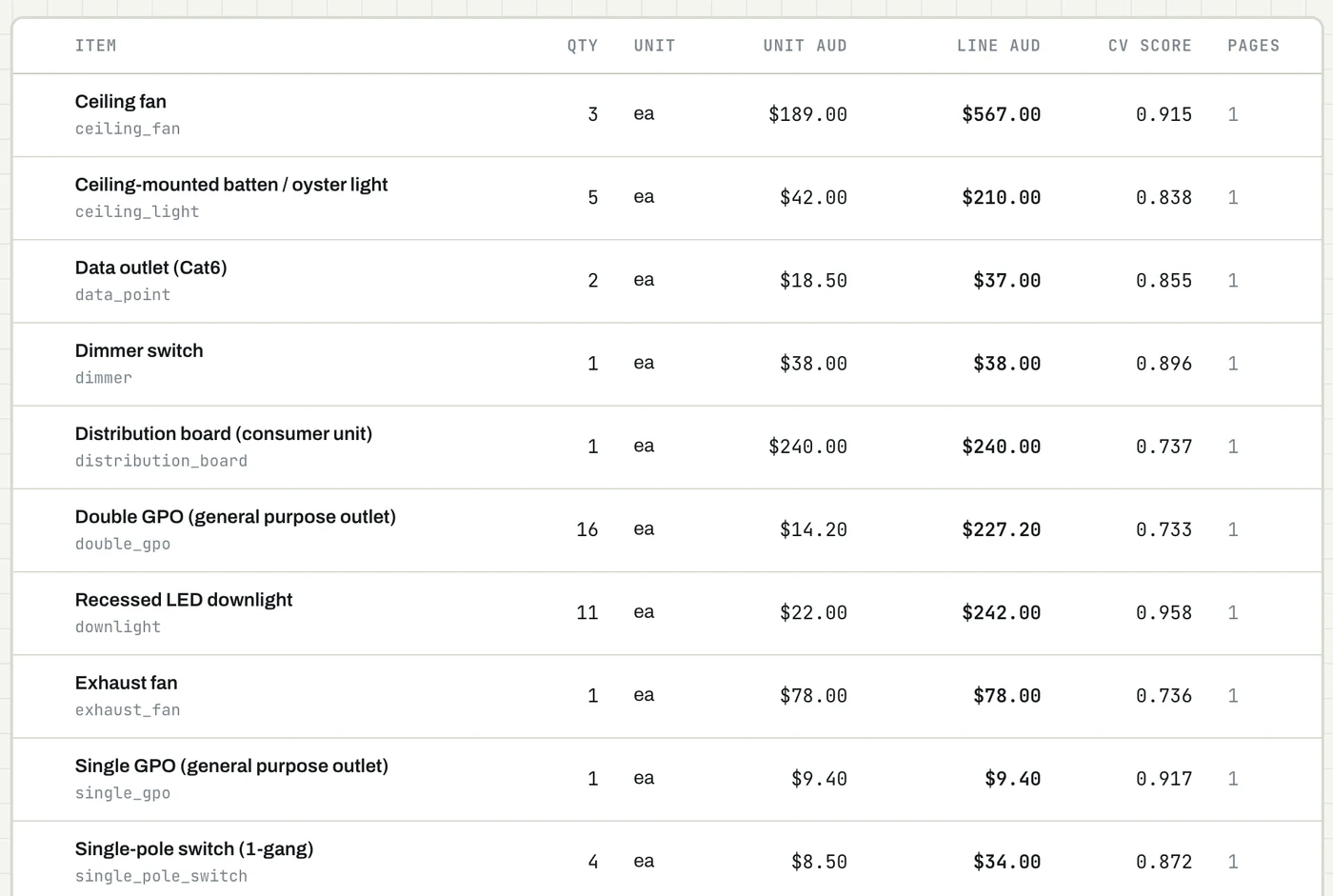
Estimators upload a PDF drawing set and get switches, power points, lights and fans counted and priced, room by room.
 Real estate startup
This system turns a PDF set of house drawings into a priced electrical Bill of Materials (BOM), the parts list a contractor quotes from. Computer vision finds and counts the symbols, and plain code works out every quantity and cost, so AI never touches the numbers. Techuz built it in three months, and it has worked on a real site plan as well as test drawings.
The client is a bootstrapped startup building a product for estimators and electrical contractors at residential builders in Australia.
These estimators receive drawing sets as PDFs. They have to count every switch, power point, light and fan to price a job.
Electrical takeoff, counting every symbol on every sheet, is done by hand. It's slow and easy to get wrong.
Sending the drawing straight to an AI model can't be trusted either. It can miscount or invent items, and a quote can't carry that.
Three choices shaped this system. Code does all the counting, a trained detector finds the symbols, and AI only helps at the edges.
The easy option was to send the drawing to a vision AI model. Instead, computer vision, OCR (reading text from images) and symbol search find and identify the symbols, and plain code computes every quantity and cost.
Claude only writes the project details and a short estimator note. If it returns a number that differs from the computed one, the computed number wins.
Template matching looks for exact copies of each symbol. It needed tuning per symbol and stalled at about 61% F1 on our harder test set. F1 is a score that balances missed and false symbols.
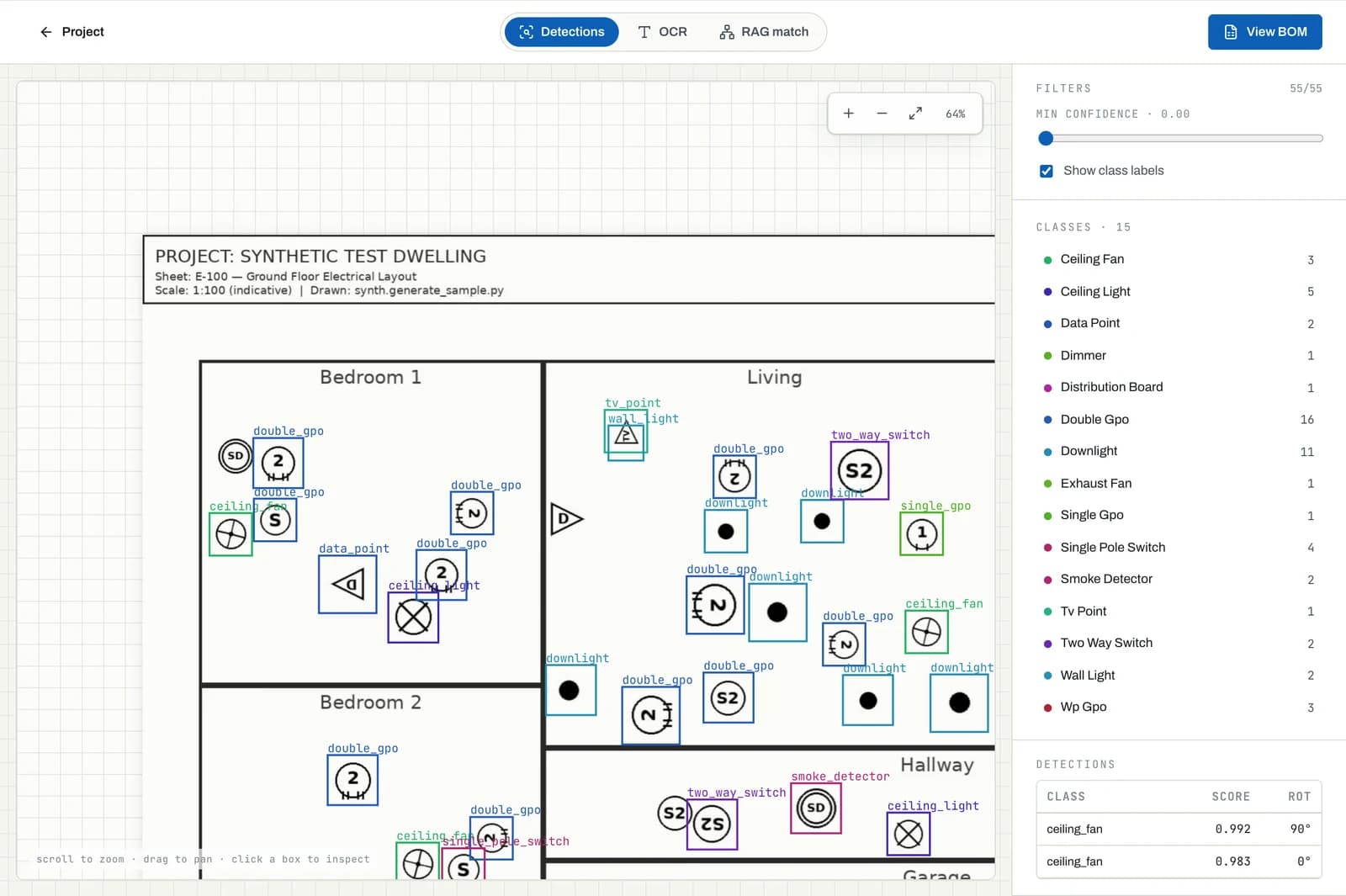
So we trained YOLOv8‑nano, an object-detection model, on 150 generated plans with 5,454 labelled symbols across 15 types.
Claude's vision model sorts pages into cover, plan and legend, and crops each sheet to the plan area before detection.
Learning each drawing set's symbols. The system reads the legend page to learn the symbols that set uses.
A person approves the measurements. Twelve AI-filled measurements, such as room, window and door counts, each need approval before Calculate and Save open up.
Estimators work through a five-step web app, from upload to export.
End-to-end takeoff
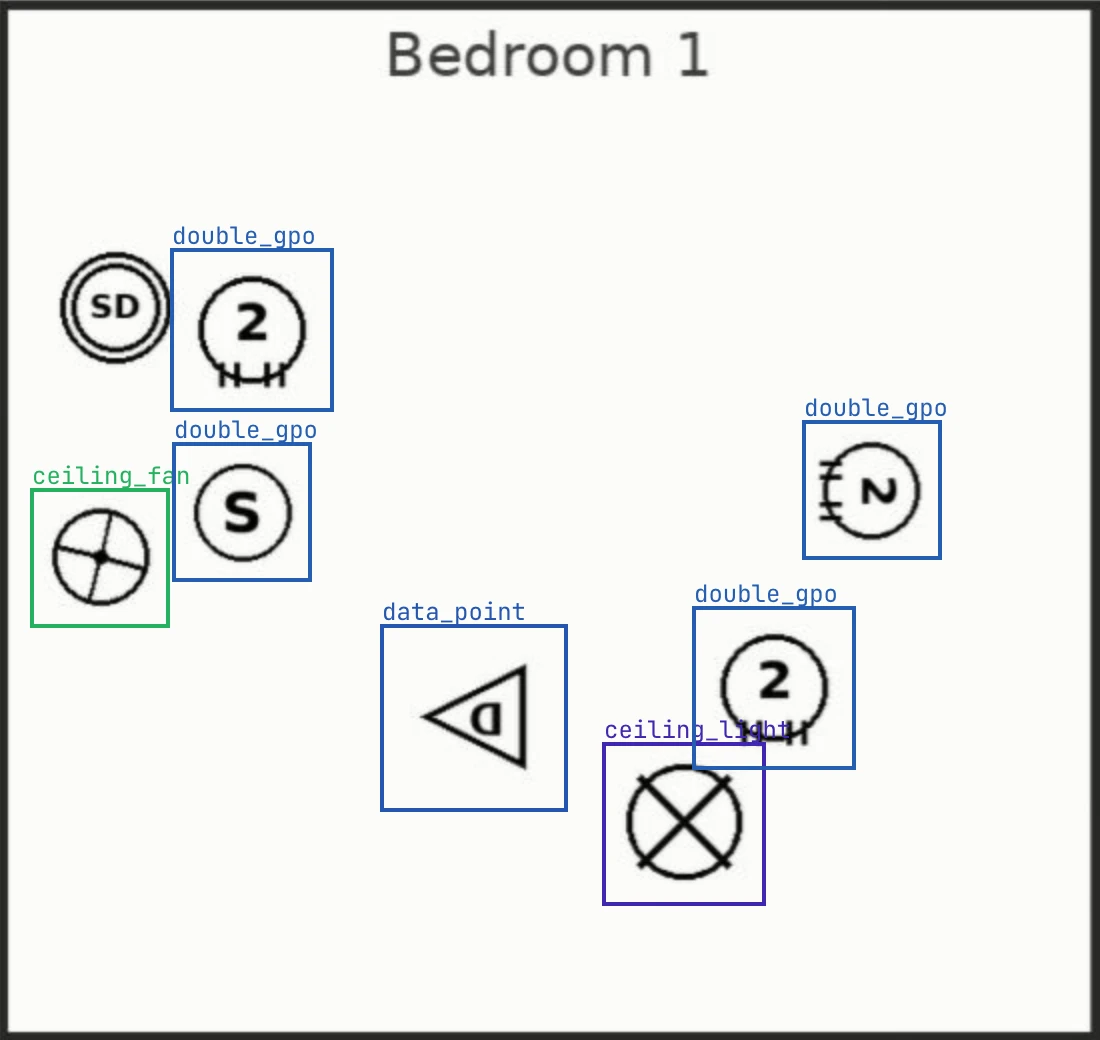
Boxes on the drawing, with zoom and a confidence flag on each BOM line
CSV or JSON export
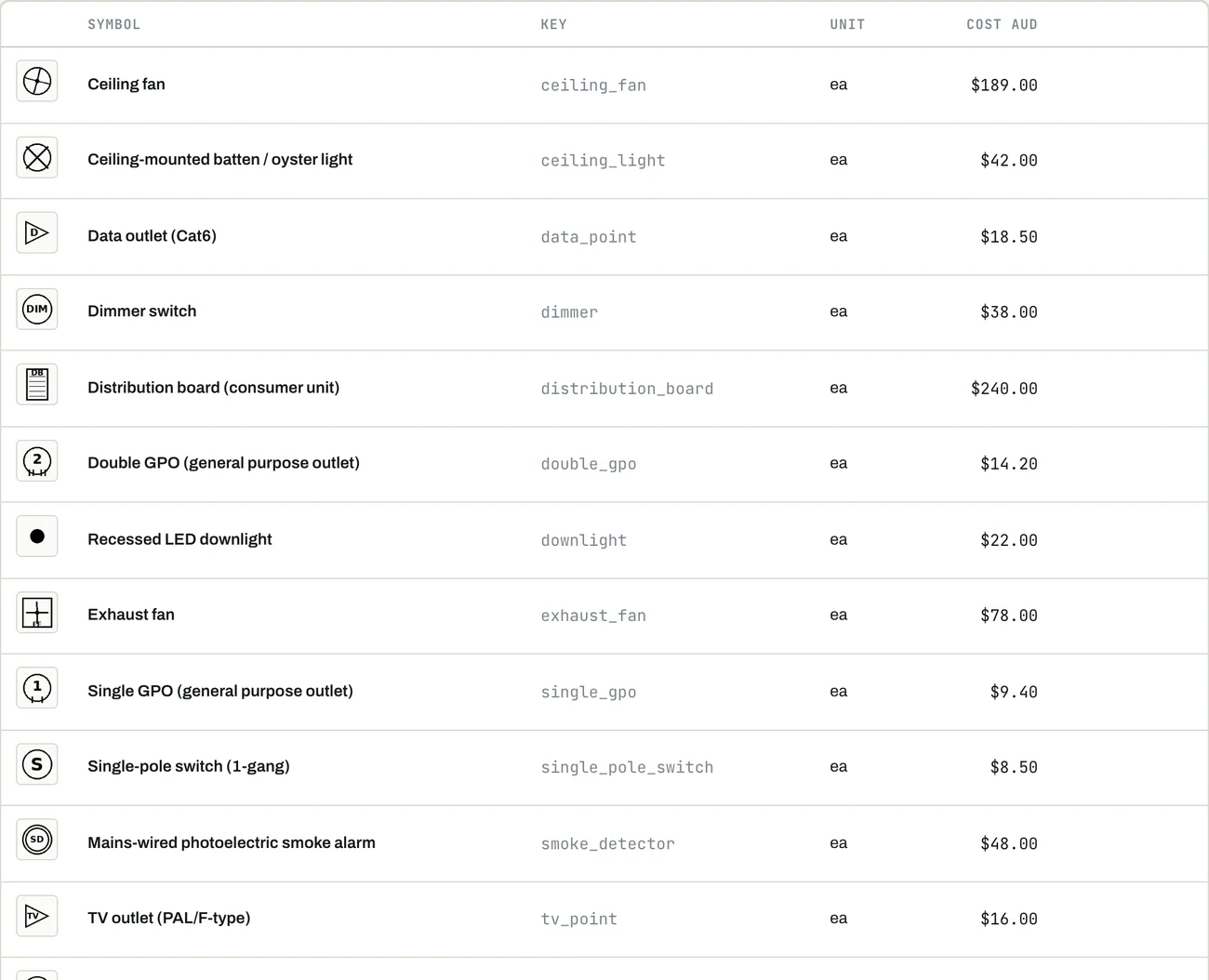
Legend reading
When whole-sheet detection counted title-block boxes and legend icons as symbols, we added the plan-area crop and masked the legend.
2people
The full pipeline runs end to end, and it has worked on a real site plan. One plan page, which an estimator would count by hand, becomes a priced, room-by-room Bill of Materials in about a minute. Every quantity traces back to a symbol on the plan, so the estimator can check it before sending it to suppliers. On generated test plans, the detector found 97 of every 100 symbols.
Runs on a CPU without PyTorch
Keeps symbol search local, with no database service
Kept away from counting, so every quantity is repeatable
AI can help with electrical takeoff from drawings, but it shouldn't do the counting. Here, computer vision finds the symbols, code computes every quantity and cost, and AI only sorts pages and writes notes.
Compute the numbers in code and overwrite anything the AI returns. Here, any number from Claude that differs from the computed one is replaced.
A trained model helps detect drawing symbols when the symbols vary. Here, hand-tuned matching stalled at about 61% F1, so we trained a YOLOv8 detector on 150 generated plans.
Tell us what you're building. We reply within 24 hours and send a ballpark estimate within 48.