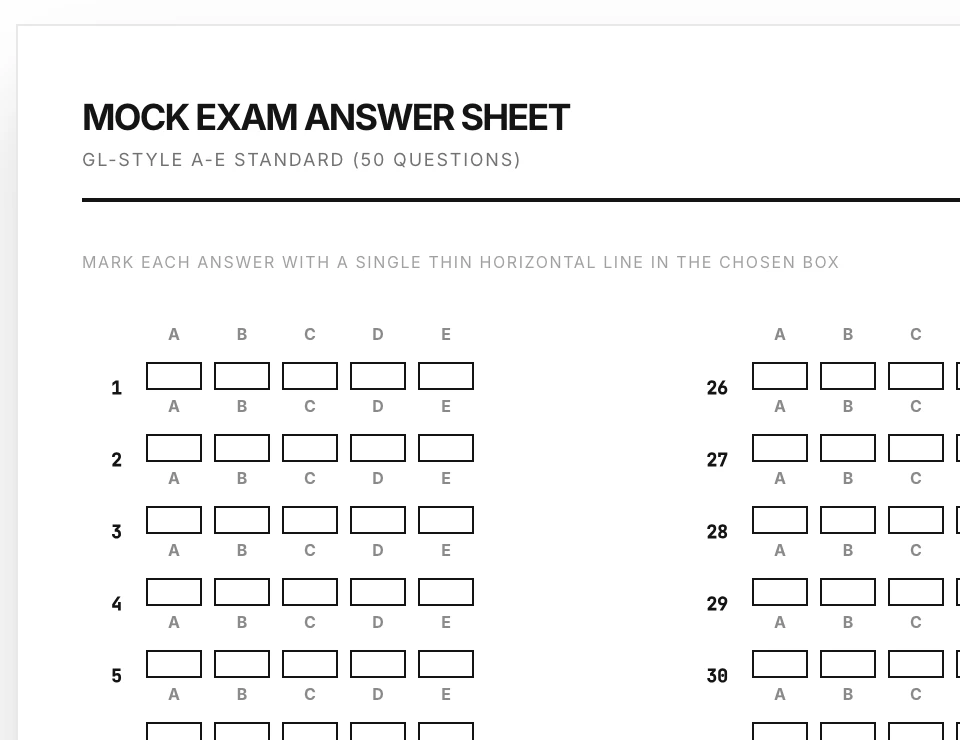
Print ready-made answer sheets
Four layouts: A–E, A/D/N, multi-section and two-mark

Staff scan a class's answer sheets, computer vision marks the clear answers, AI checks the unclear few, and a person has the final say.
 Startup running 11+ mock exams
This system marks paper answer sheets where pupils draw a short line in a box, a format standard OMR (optical mark recognition) tools can't read. Computer vision settles the clear marks, AI looks only at the unclear ones, and staff confirm anything in doubt with one click. Techuz built it in two months, and the client confirmed it worked on the sheet format they provided.
The client runs paper 11+ mock exams for pupils preparing for grammar-school entrance.
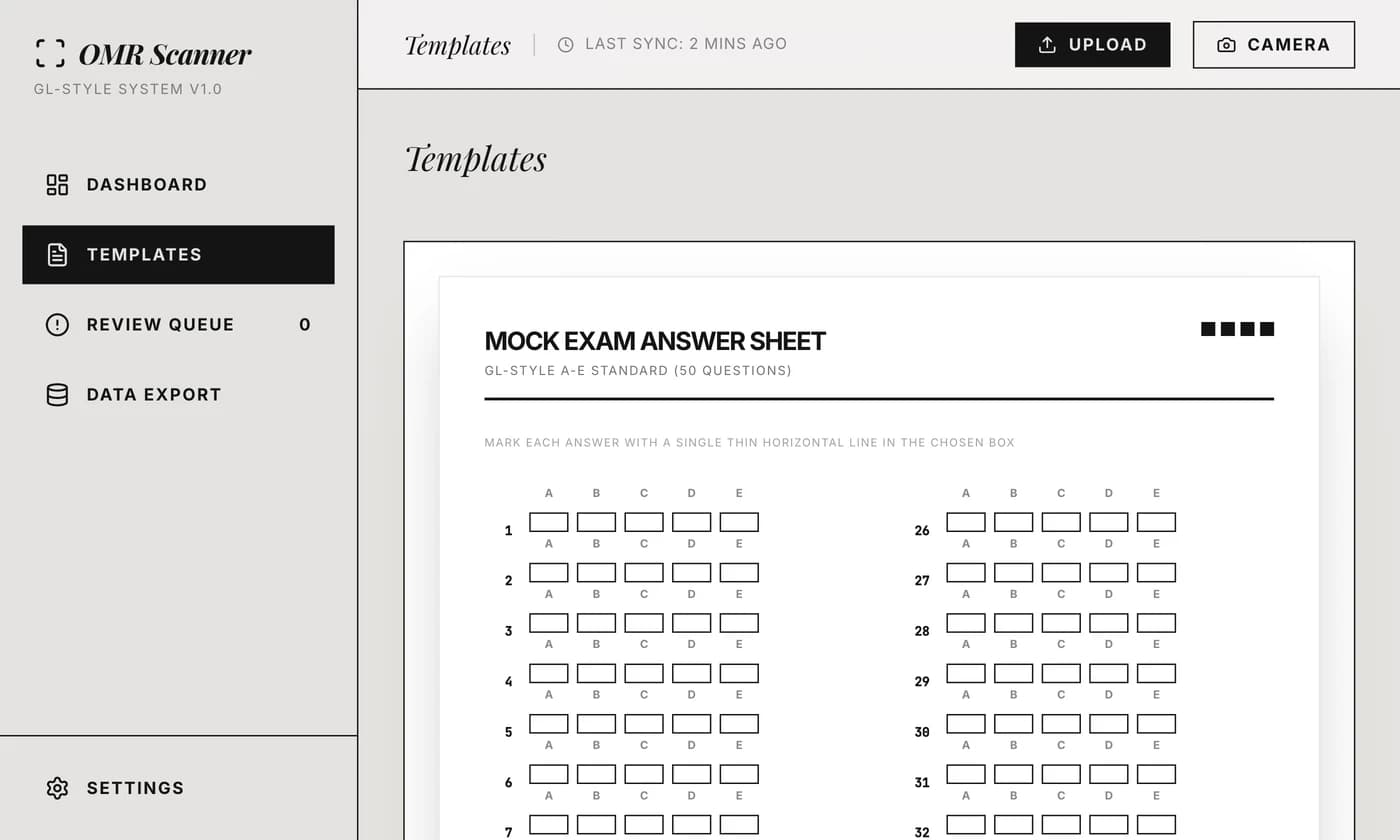
Pupils mark their answers on printed sheets. Staff scan the finished sheets on an ordinary document scanner and mark them in a browser.
These sheets are marked with a thin horizontal line inside a small box, not a shaded bubble. Standard OMR tools can't read them, so staff were marking by hand.
Light marks, rubbed-out answers and smudges are where both tools and tired markers make mistakes.
Three choices shaped this system. Computer vision does most of the work, the sheets and the engine come from the same code, and a person always has the last word.
The easy options were a generic bubble-OMR tool, which can't read lines, or sending every sheet to an AI model. We built a hybrid.
OpenCV, a computer-vision library, finds the horizontal strokes and settles the clear marks. Only the uncertain boxes go to Claude's vision model, in one batched call per sheet.
The easy option was to hand-measure box positions, or find the boxes on every scan. Instead, one piece of code makes both the printable PDF and the engine's box positions, and every sheet has corner markers for alignment.
Every box the AI looks at appears in a review queue with its cropped image and the AI's reason. One click overrides it and re-scores the sheet. If the AI fails, the box falls back to “needs review” instead of a guess.
Ignoring the box's own outline. The printed box edge was first read as a pencil line, so we trim the edges before looking for marks.
PDFs split in the browser. Multi-page scans are turned into page images in the browser, so the server needs no extra PDF tools.
Staff work in a React web app. They print sheets, upload scans, review flagged marks and export results.
Four layouts: A–E, A/D/N, multi-section and two-mark
We tested the engine on synthetic sheets and a script that checks accuracy, then handed everything over.
2people
Staff can mark a whole class from one scan upload, instead of marking every sheet by hand. Computer vision settled about 96% of boxes across nine test sheets, so AI and people only look at the unclear few. Every pupil's score, wrong answers and student ID come out ready to export.
OpenCV is fast, free and gives the same answer every time
Used only on the unclear few percent, so cost per sheet stays bounded
Yes, OMR can read line marks instead of bubbles with custom computer vision. Here, OpenCV looks for horizontal strokes inside each box, which off-the-shelf bubble tools can't do.
No, you don't need to send every answer sheet to an AI model. Here, computer vision settled about 96% of boxes across nine test sheets, and only the unclear rest went to AI, which keeps cost and timing predictable.
Make a person the final check. Here, every AI-checked box goes to a review queue, and any AI failure becomes “needs review”, not a guess.
Tell us what you're building. We reply within 24 hours and send a ballpark estimate within 48.