Get measurements without a tape measure
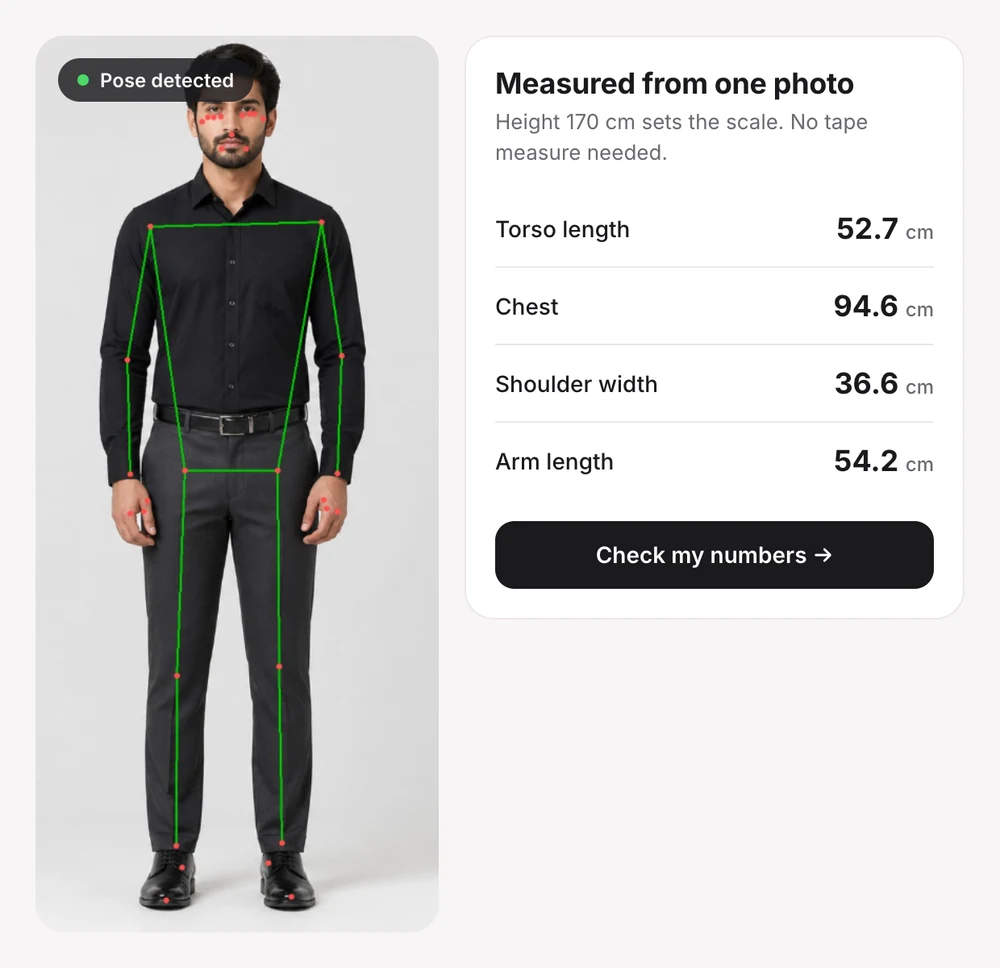
Automatic body measurement from one photo

In this first version, shoppers upload one photo, get their measurements, and see a top rendered tight, true to size or loose before they buy.
Illustration: a shopper uploads one photo and their height, the app reads their measurements with a confidence score for each, then shows the same top in sizes S, M and L as tight, true to size and loose.
 Virtual try-on platform for online stores
This system shows online shoppers how a specific size of a top will fit their body, not just how it looks. From one photo it estimates their measurements, compares them with the garment's size in centimetres, and renders a photorealistic try-on with tension lines or drape. Techuz built the full pipeline in about a month.
The client offers virtual try-on to online fashion stores through an API, so the stores' shoppers can try clothes before they buy. It doesn't sell clothes itself.
We built the try-on for women's tops, from T-shirts and blouses to polos and bodysuits. Shoppers browse at home on a phone or laptop, so they can't try anything on in person.
Shoppers on those stores couldn't tell how a garment would really fit, so they guessed the size and sent things back.
Standard virtual try-on doesn't fix that. It pastes the garment onto a photo, so a size S and an XL look identical.
Three choices shaped this try-on. We measure from one photo, turn fit into visual rules, and run a self-hosted image model next to a paid API.
The easy options were asking shoppers to type in their measurements, or a 3D scan. We estimate them from a single photo with MediaPipe Pose, a body-tracking model, calibrated by the shopper's height.
We compare the garment's size with the shopper's body in centimetres. Each difference becomes a visual rule: tight means tension lines, loose means folds and drape.
Those rules shape the image prompt, instead of a generic “put this shirt on”.
We self-host the FLUX.1 Kontext image model on Modal's serverless GPUs, alongside Google's Gemini 2.5 Flash Image API.
A fallback when the API says no. The image API sometimes refused prompts describing a very tight fit. The self-hosted model and a rule-based prompt take over when that happens.
Measuring without a GPU. MediaPipe runs on an ordinary processor, so only image generation needs a GPU.
Shoppers use a simple web app. They upload a photo, check their measurements, pick a garment and size, and get their try-on image.
Automatic body measurement from one photo
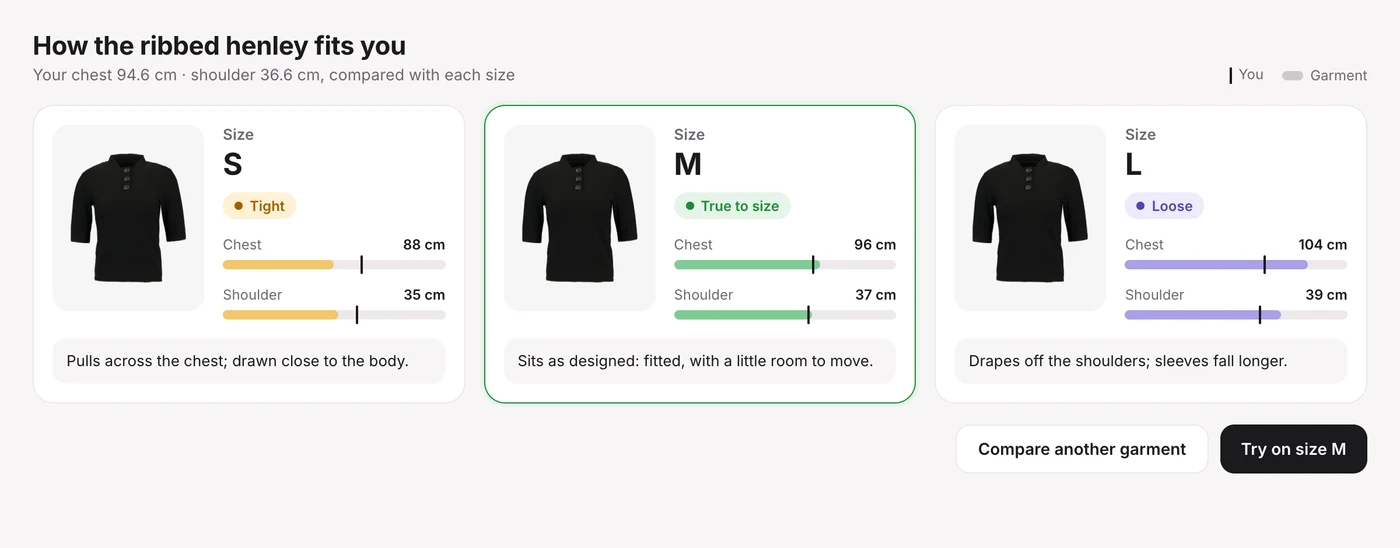
Fit-aware rendering: tight, true to size or loose
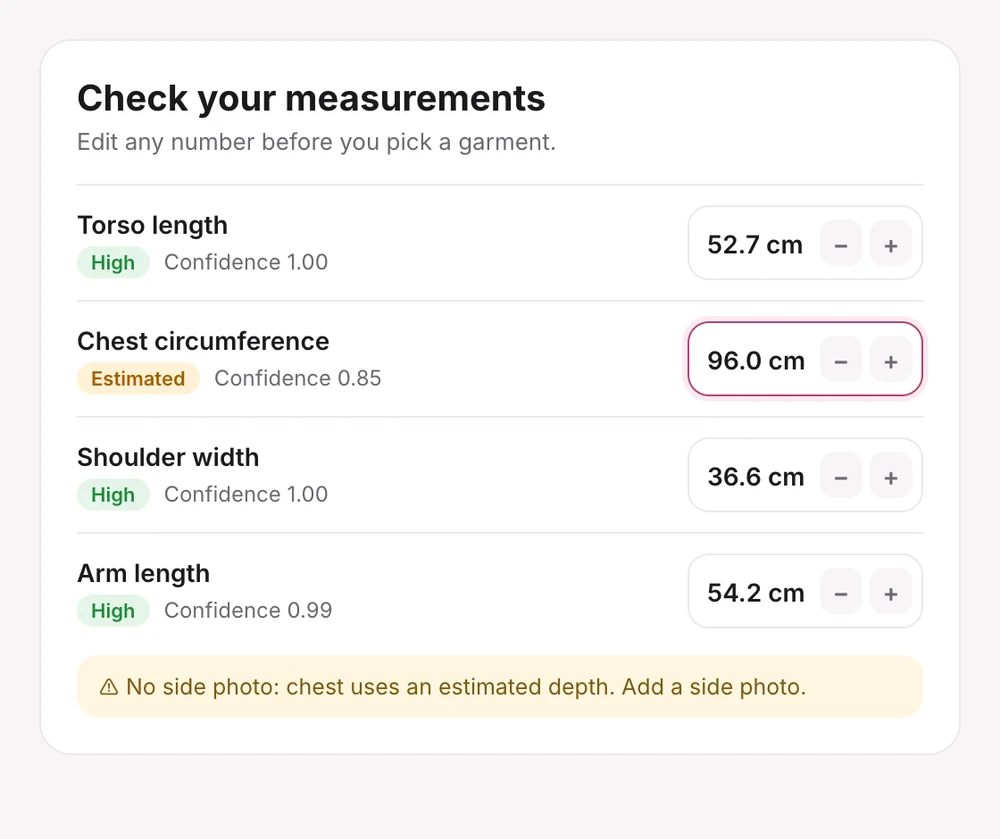
Editable measurements with confidence scores
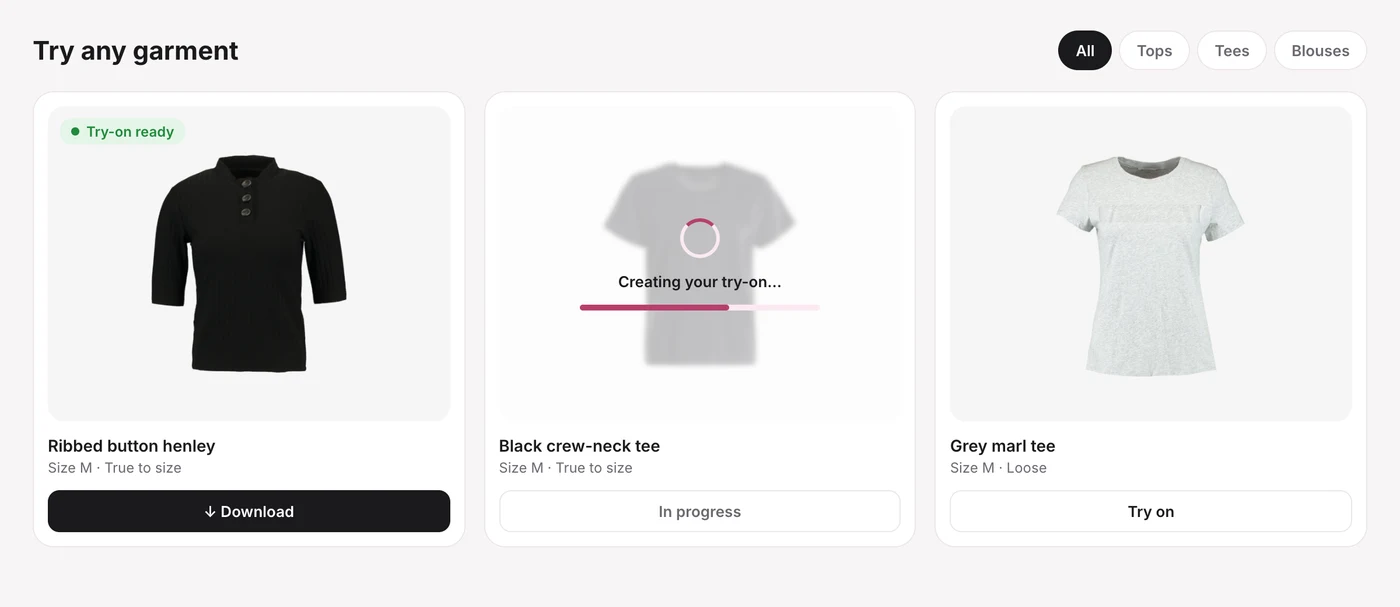
Catalogue try-on with download
We built the full pipeline, from photo to finished image. We estimated garment sizes from product photos to start.
2people
The system runs end to end, from one photo to a finished try-on image. Shoppers can see the difference between a size S and an XL on their own body, instead of guessing. The client says more than 50 stores have tried it through its API, and that shoppers stayed on those sites longer. The next step is real size charts for the catalogue, which make every fit more accurate.
Runs on a CPU, so measuring needs no GPU
Two models avoid depending on one vendor
Billed per GPU-second, and switches off when idle
Yes, if it knows both the body and the garment. Here, the shopper's measurements are compared with the garment's size in centimetres, and the difference decides whether the image shows tension or drape.
Yes, a body can be measured roughly from one photo. Here, MediaPipe estimates measurements from one photo calibrated by height, shows a confidence score for each, and lets the shopper correct them.
Using both a self-hosted image model and an API avoids lock-in. Here, a self-hosted FLUX model on serverless GPUs runs alongside the Gemini API and takes over when the API refuses a prompt.
Tell us what you're building. We reply within 24 hours and send a ballpark estimate within 48.