
Pages that load before visitors give up
Images ship as WebP or AVIF with fixed sizes, fonts preload and a CDN serves static files. Visitors see content first, not a spinner.

React, Next.js and Angular front ends and admin dashboards, built from your designs or straight from your brand guidelines in Claude Code, wired to your back end.
4.9 on Clutch from 45 reviews · 500+ projects since 2013 · A monitoring dashboard built for hundreds of users
Our front-end development services build your screens two ways: straight from your brand guidelines in Claude Code, or from your Figma file to code. Either way, a designer checks every sprint on staging, so you launch what you approved.
Front end web development services for dashboards, admin panels and customer-facing apps, built in React or in Next.js with server rendering. Your users get screens that respond quickly, and search engines see complete pages. See custom web application development.
Figma to React builds turn your designer’s or agency’s files into working components, with every breakpoint and state they drew. You launch the product your designer intended, without paying for a second round of fixes.
No Figma screens yet? We build web front ends, admin dashboards and internal tools directly in Claude Code from your brand guidelines and business requirements, wired to your back-end services. You click through working screens on staging within weeks, not after a long design phase.
Our UI development services cover design tokens and components with variants for every state, from empty and loading to error and no-permission. New screens come together from tested parts, so later releases cost less. See our UI/UX design services.
Core web vitals optimization services audit your real-user data, then fix what slows LCP, INP and CLS on your existing site or app. Fewer mobile visitors leave before the page has loaded.
Web accessibility services bring your site to WCAG 2.1 AA: heading order, labelled forms, keyboard paths, visible focus, contrast and alt text. More people can use your product, and your legal risk goes down.
Ageing front ends move to React or current Angular module by module, after a code audit and gap analysis that shows what to keep. Your product keeps running during the move, and you don’t pay to rebuild screens that still work. Read the signs it’s time to modernize your web app.
Need it to work offline or install from the browser?
People judge your product by the screens they touch, and speed decides whether they stay. In the HTTP Archive’s 2025 Web Almanac, only 48% of mobile sites passed all three Core Web Vitals.
Start from approved Figma screens, or from your brand guidelines and a list of what the product must do. Either way, design to code is where most front ends drift: spacing gets eyeballed and states get skipped. We set your design tokens in code before sprint 1, then guard the design at every step. In zeroheight’s 2025 Design Systems Report, 84% of design-system teams used design tokens.
Working with your own designer or agency? We build from their Figma or Sketch files, keep their decisions and send questions back as Figma comments.
“They’re one of the only dev companies that actually deliver the designs exactly as I create them.”
Choose a front-end development agency when you need design checks, set standards and a fixed deadline. Add developers to your team when you already have a front-end lead and a design system. Either way, front end development outsourcing leaves you owning the code.
Want developers inside your own team instead?
Hire React developers, or set up a dedicated development team.
A monitoring dashboard, an agency website built from the client’s design, and a video-led site with online booking.

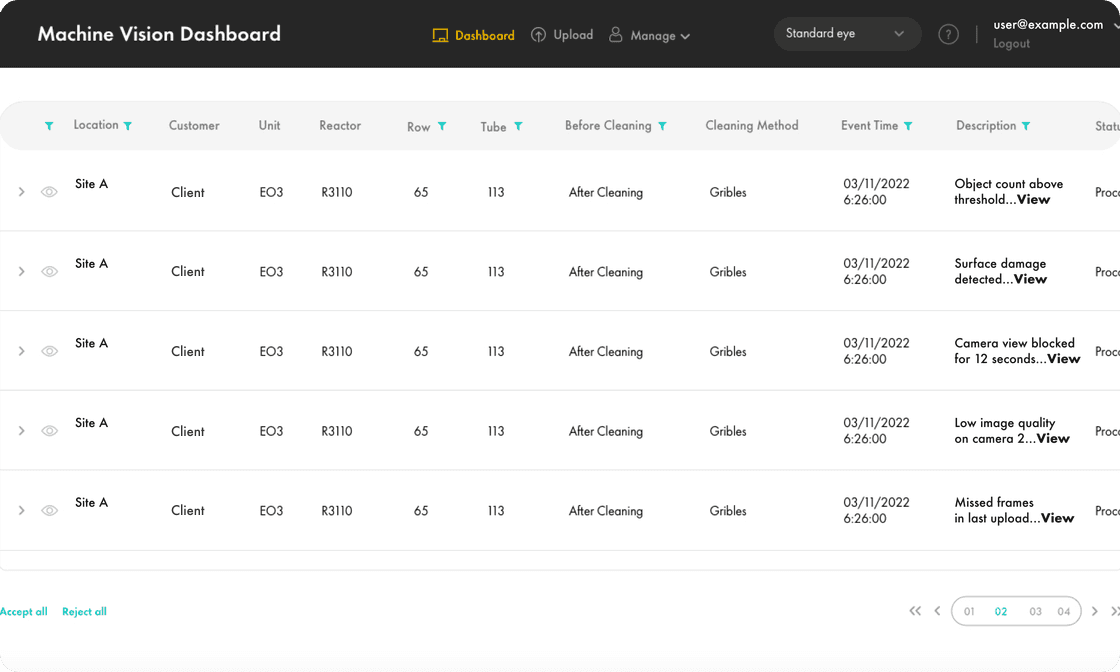
UX/UI design and a React front end for a large enterprise’s machine-vision monitoring dashboard, built alongside the client’s own back-end team. Issues appear as text and video, with tables and graphs, for specialists and non-experts alike.


A custom agency website built for search. Orangutans’ site was built for search and landing pages on Angular and Node.js, and the founder reports a 15% traffic increase after launch.
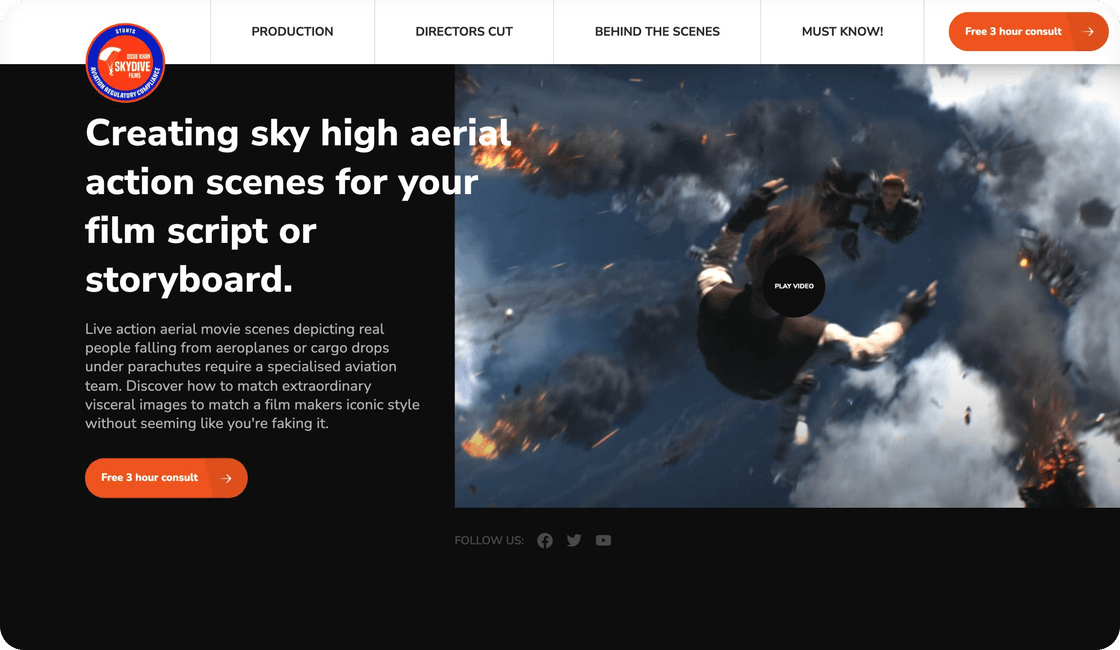

Ossie Khan’s skydiving film website and booking engine. A video-led WordPress site built in one month, then a custom booking engine with WooCommerce payment; the client reports $190K in revenue within 18 months.
Reviews from Clutch, where we hold a 4.9 average across 45 reviews. Quotes are the reviewers’ own words; the result lines are ours.
Most front ends run through six phases, with a working demo every two weeks. Design sign-off is a dated milestone before sprint 1, so developers never build from screens that are still changing.
Small project
4–8 weeks
A marketing site, or one app area built on your existing API
Mid-size
10–12 weeks
A full web app front end with a design system and two or three user roles
Large
4–6 months
A front end across several products, or a module-by-module modernization
Every front end runs through the same six phases, checked against the design every sprint.
Front-end development with Techuz costs $10k–15k for a small project, $25k–50k for mid-size and $50k+ for large, built in phases. Rates are $20–25 an hour, depending on role and seniority.
$10k–15k
Small
4–8 weeks
$25k–50k
Mid-size
10–12 weeks
$50k+
Large
4–6 months
Small
4–8 weeks
$10k–15k
Mid-size
10–12 weeks
$25k–50k
Large
4–6 months
$50k+
Every price includes QA, project management and 30 days of free support. Hosting and third-party tools are listed with monthly costs in the proposal.
See engagement models and pricing, or read the web app development cost guide.
With numbers you can check, not badges. The WebAIM Million 2026 found detectable WCAG failures on 95.9% of the top million home pages. So we test accessibility on every release.
We pick the framework that fits your product and the team that owns it after us. The reason goes into the architecture document you sign.
Next.js for public pages and the app in one codebase; React for dashboards; Angular for large, form-heavy apps
One component library, so every screen shares the same parts
Checks before code merges
Dev-ready specs; prototypes when you need to click first
Claude Code builds from Figma through MCP or straight from your brand guide; AI features call models through your back end, with prompts and test sets versioned
When you need a brochure site live in a week or two, a template or a small WordPress build is cheaper. Heavy motion design, illustration or 3D as the core of the product isn’t our strength, and we don’t do brand identity. If your front-end team only needs extra hands for a week, onboarding may cost more than it saves.
Front-end development is building the part of a website or web app that people see and use. It is written in HTML, CSS and JavaScript frameworks such as React and Angular. Good frontend development services also cover speed and accessibility.
The front end runs in the browser: layouts, buttons, forms and the logic behind them. The back end runs on servers: databases, business rules, APIs and integrations. On our projects, both sides agree the API contract up front, so screens and data fit when they meet.
With Techuz, a small front end takes 4–8 weeks, a mid-size one 10–12 weeks and a large one 4–6 months once the scope is clear. Approved designs shorten it, because developers don’t wait on decisions.
No, you don’t need Figma designs before Techuz starts. If you have approved Figma screens, we build from them. If you only have brand guidelines and a clear idea of what the product must do, we build the screens directly in Claude Code and you review working pages on staging every sprint.
Yes, Techuz can build from your designer’s or agency’s Figma files. Your designer walks our tech lead and developers through each module before sprint 1, and stays the decision owner. Techuz built Orangutans’ website this way, from the client’s own design.
Yes, Techuz can take over or modernize your existing front end. We audit the code first, and a gap analysis shows what to keep and what to replace. The move then runs module by module, so your product stays live throughout.
Ask how they check the build against the design, which speed and accessibility numbers they commit to, and who reviews the code. Check that code sits in your Git account from day one, and read verified reviews. Techuz holds 4.9 on Clutch from 45 reviews.
Tell us what you're building. We reply within 24 hours and send a ballpark estimate within 48.

