Practise a session any time, out loud
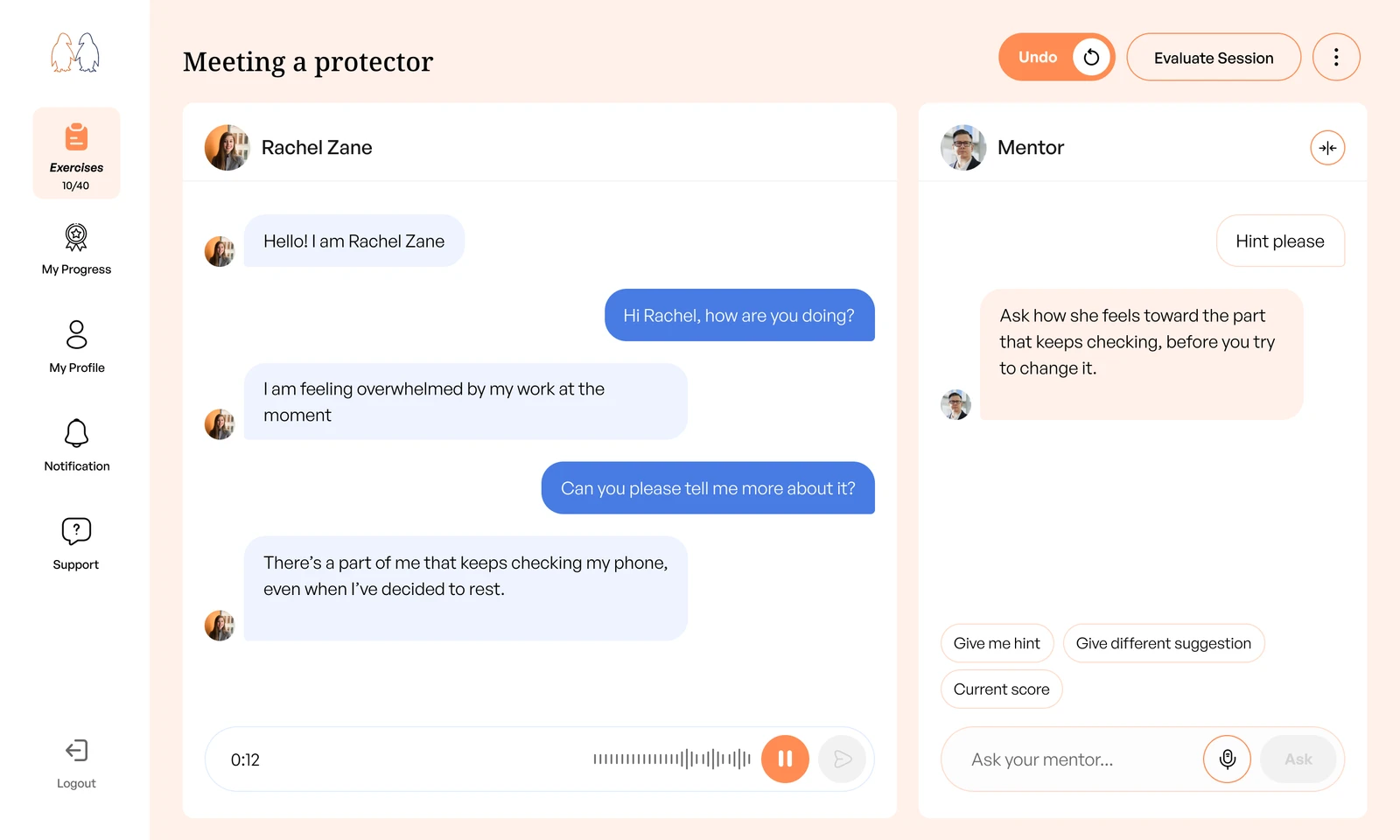
An AI client: Whisper speech-to-text, gpt‑4o and OpenAI voices

Practitioners talk to an AI that plays the client, ask an AI supervisor for hints along the way, and get a score when they finish. All in the browser.
 Practice platform for therapists
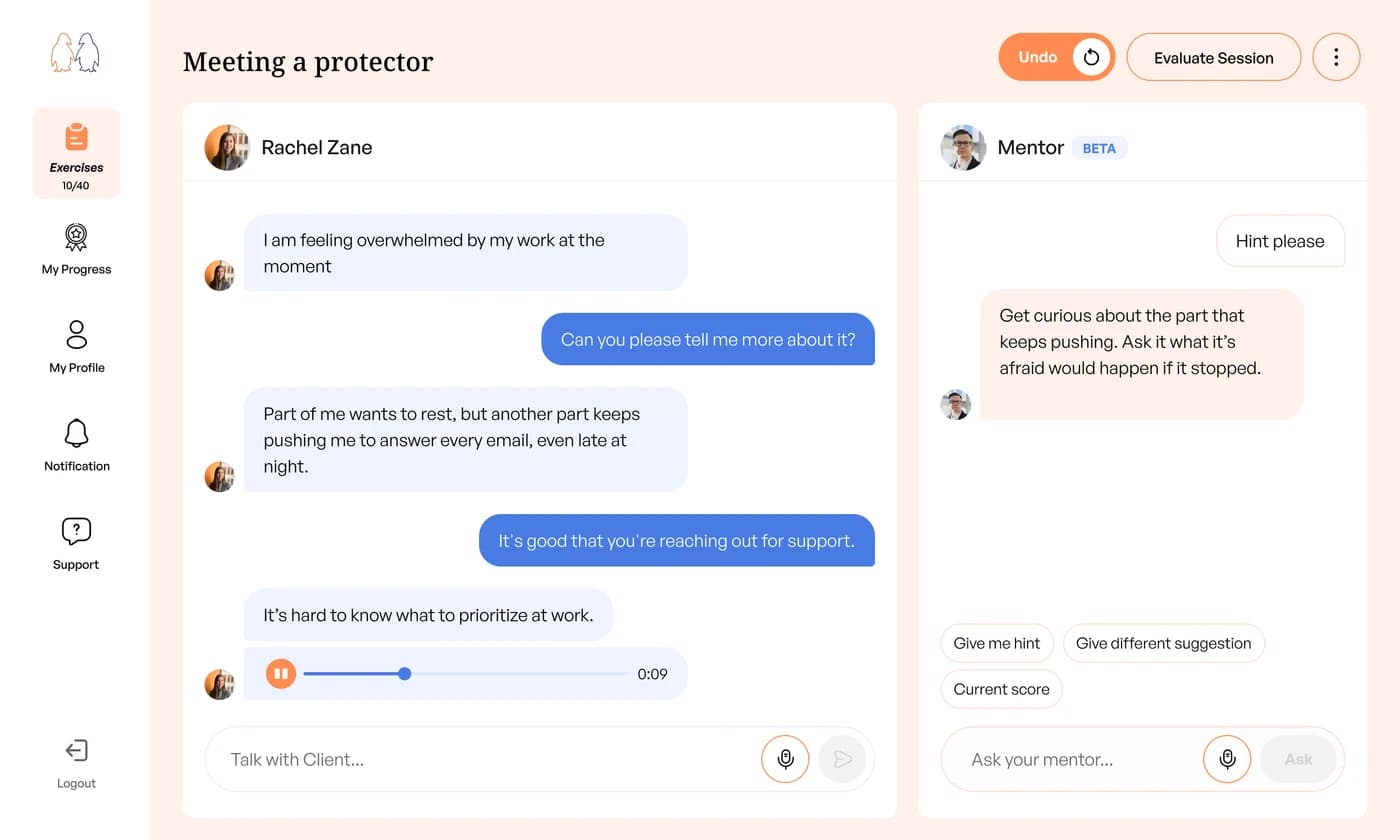
This web app lets practitioners of Internal Family Systems (IFS) therapy practise sessions any time. An AI plays the client and answers out loud, while an AI supervisor follows the whole session, gives hints on request and scores it at the end. Techuz built the app, admin panel, backend and subscriptions in about 11 months.
The client was founded by an IFS practitioner to help other practitioners practise. IFS is a therapy approach in which the therapist helps a client work with different “parts” of themselves.
Its users are therapists, coaches and other practitioners at every level, practising in the browser with a microphone. The app is meant to add to IFS training and peer practice, not replace it.
Getting good at IFS takes many hours of supervised practice, and there isn't enough to go round.
The founder saw the gap first-hand: far more people were waiting for entry-level IFS training than could be trained each year.
Three choices shaped this app. We used a stronger model where it matters most, put every prompt in the client's hands, and made room for several branded sites.
The AI client and the AI supervisor run on gpt‑4o. The final score runs on gpt‑3.5‑turbo.
The admin panel has a “Prompt Engineering” tab with seven prompt types and seven variables. From there, the client tunes how the AI client, the supervisor and the scoring behave for every exercise.
Each site gets its own logo, colours, exercises and plans, and the platform picks the right one from the web address.
Problem reports come with the conversation. When a user reports a problem, the Zendesk ticket arrives with the full chat attached.
Plans that open up more exercises. Stripe subscriptions handle upgrades, charging only for the days used, plus promo codes and PDF invoices.
Practitioners work in a responsive web app, and the client manages exercises, prompts, plans and brands from an admin panel.
An AI client: Whisper speech-to-text, gpt‑4o and OpenAI voices
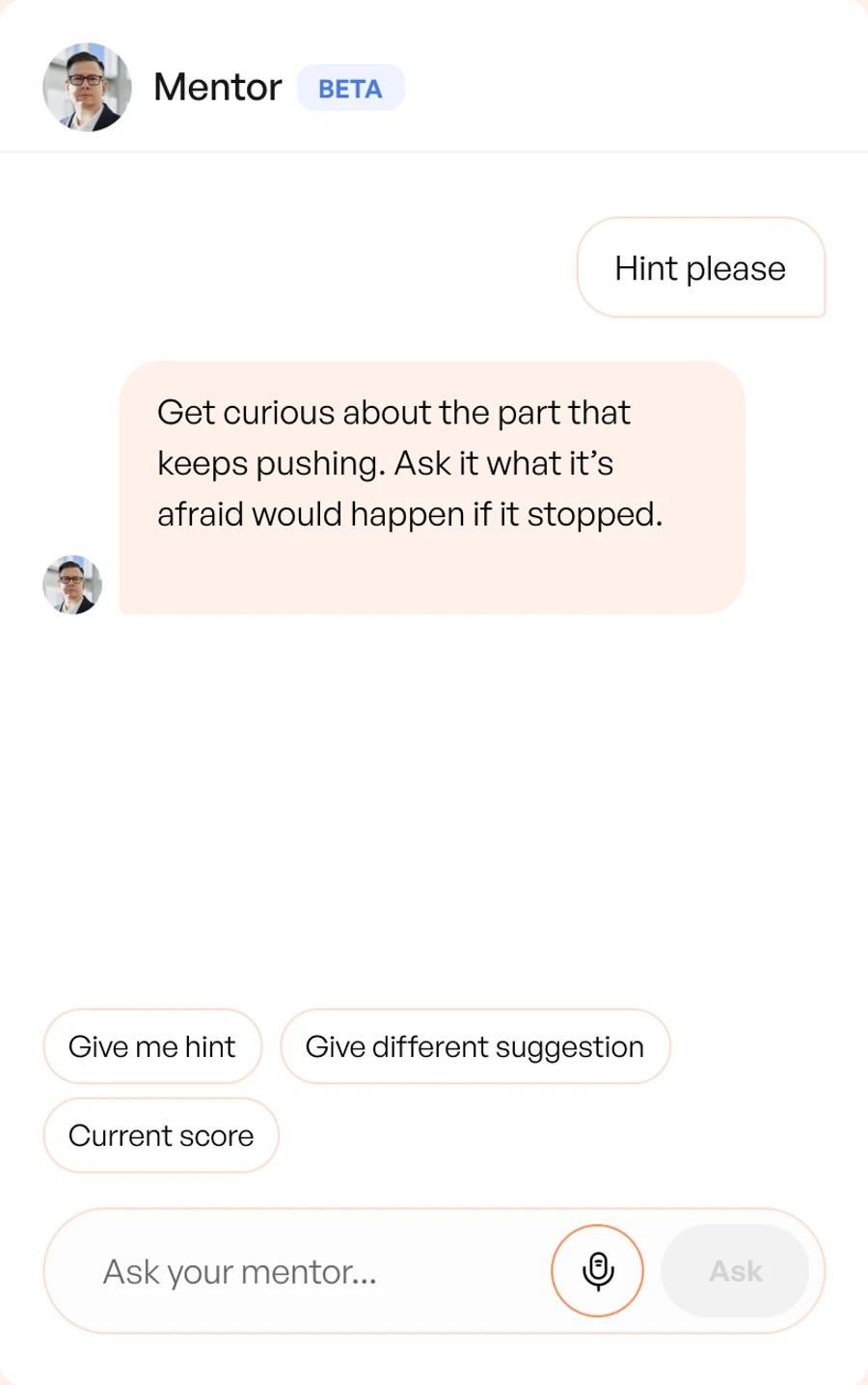
An AI supervisor with Hint, Ask me and free chat
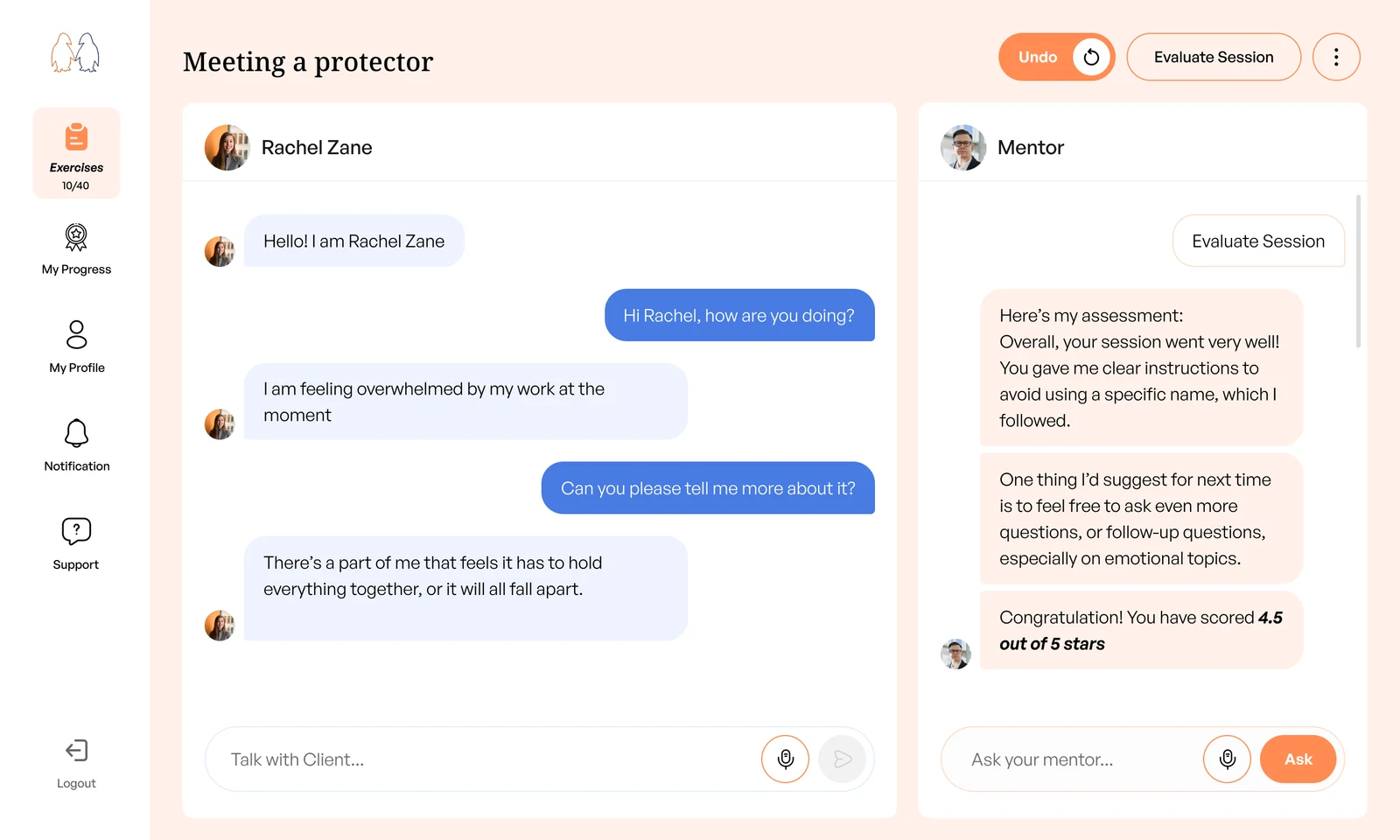
The supervisor's assessment at the end
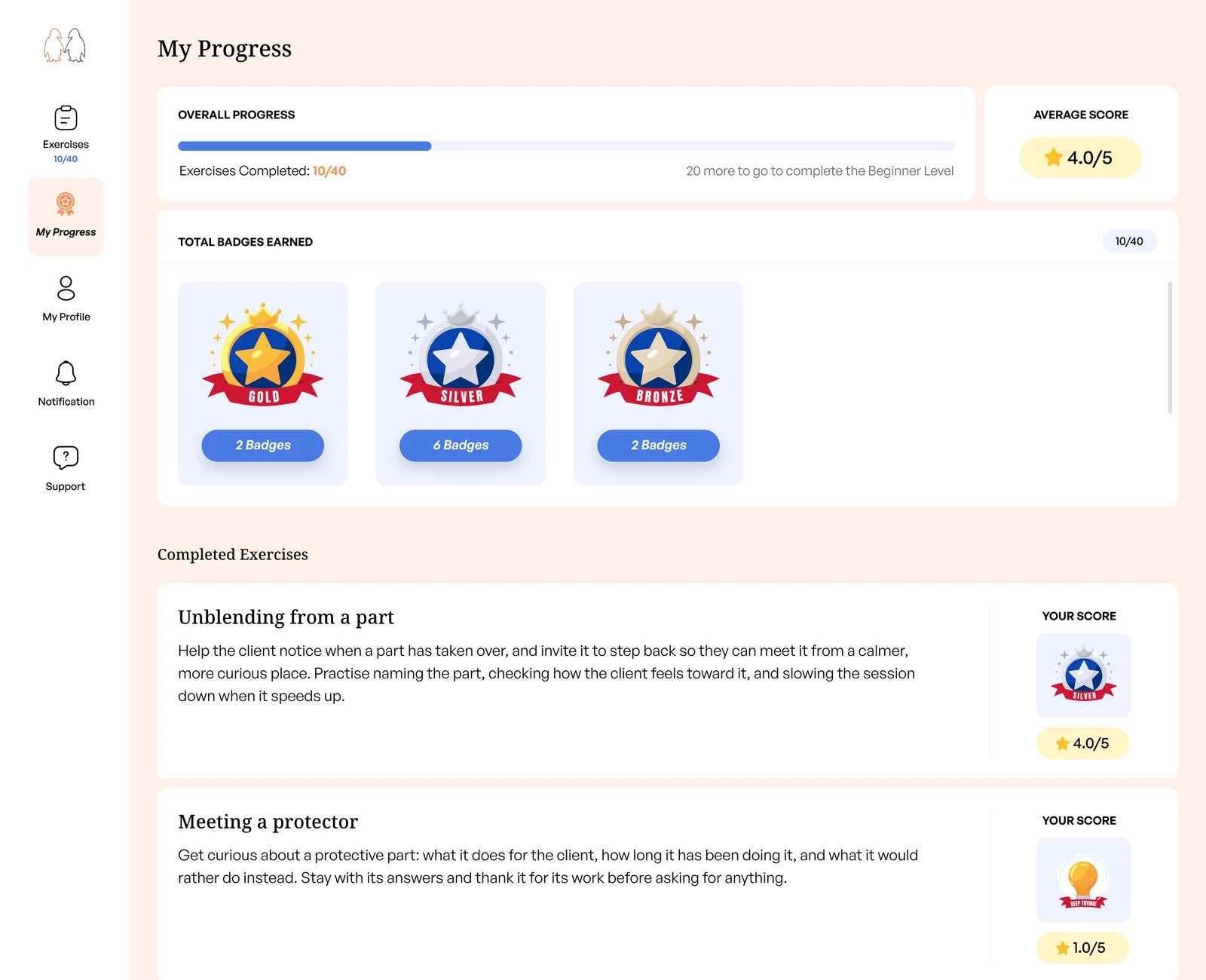
Average score, completed exercises, and bronze, silver and gold badges
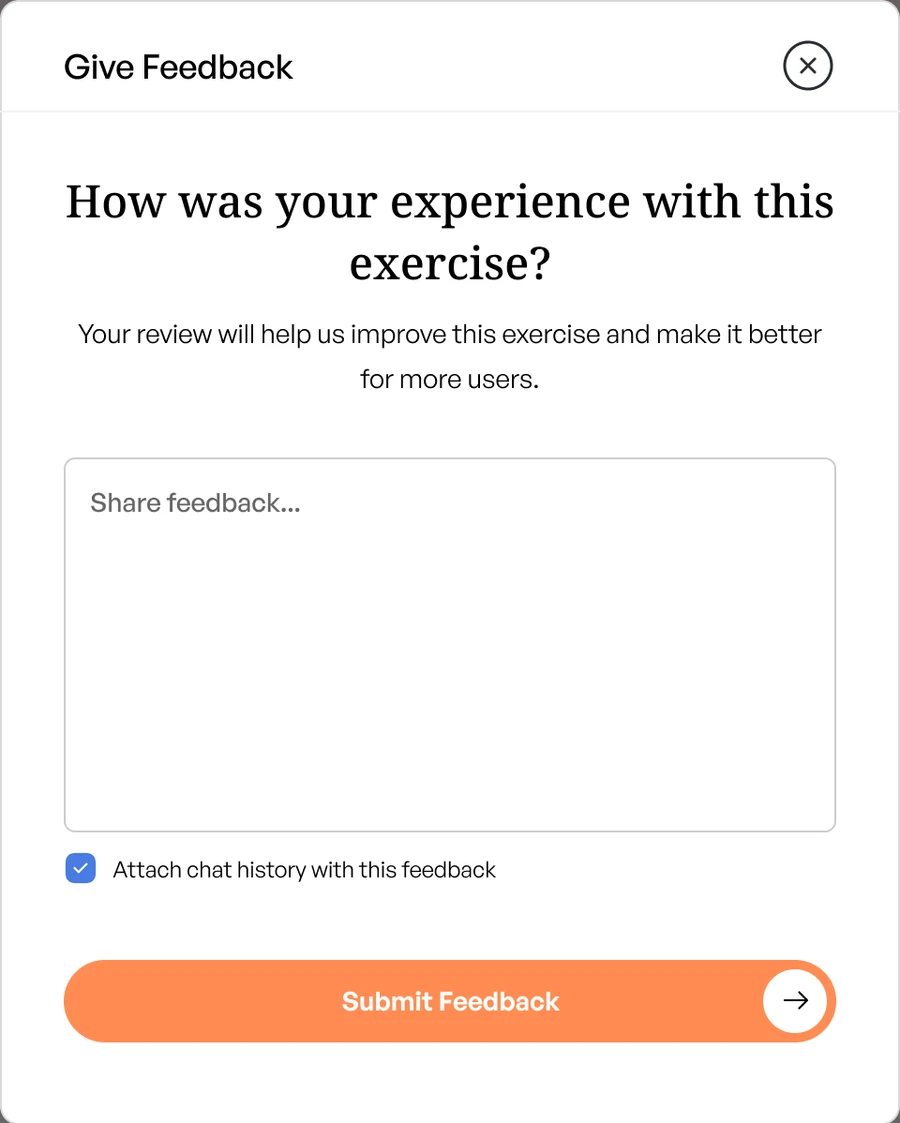
Zendesk ticket with the chat export
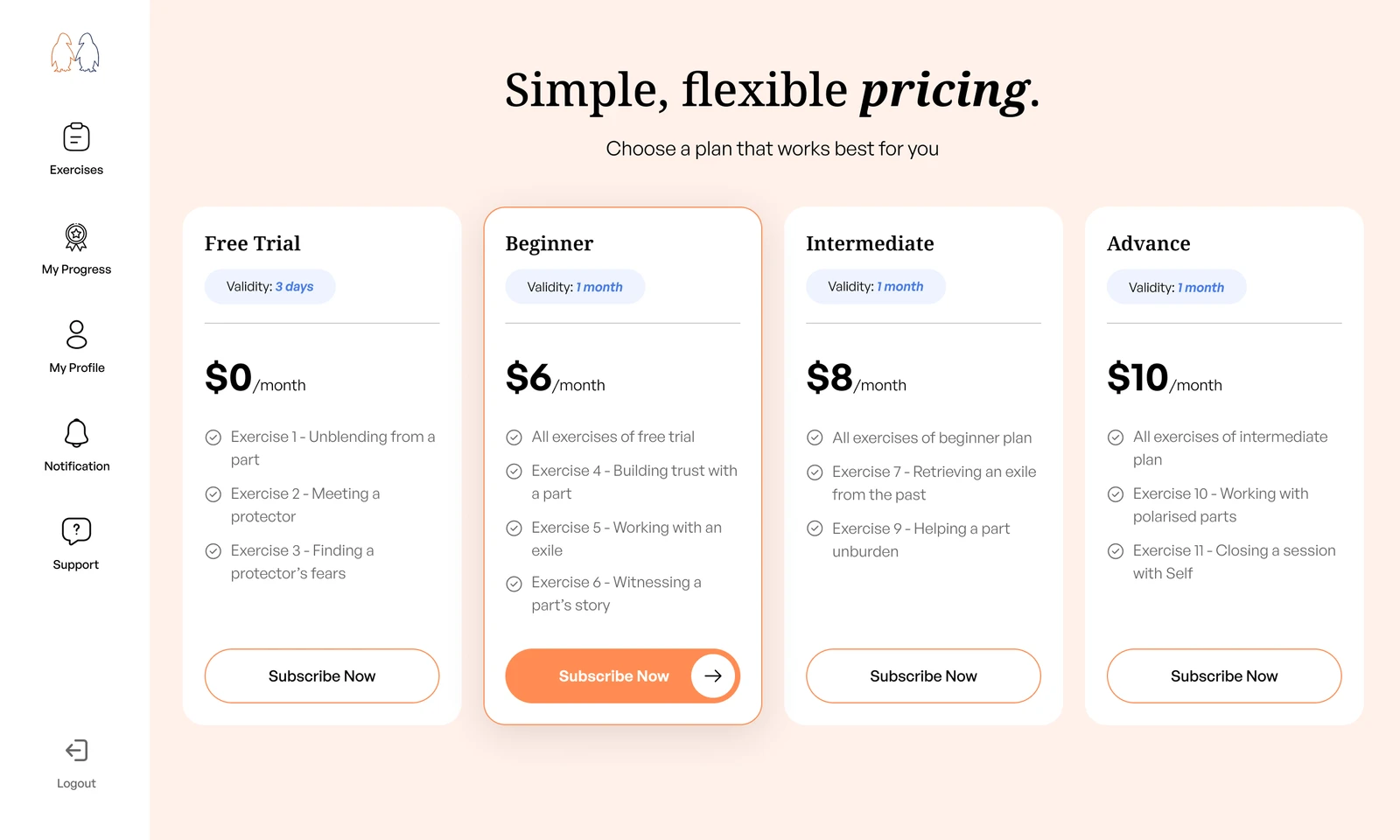
Stripe subscriptions
The main build took about three months, followed by refinements and testing fixes.
The hardest part was the AI client. It has to keep the context of the whole session to stay in character, turn after turn.
3people
The app is live, and its About page credits Techuz as its app developers. Practitioners can now practise a full session whenever they have time, instead of waiting for a training slot or a peer. Each session ends with a score and written feedback, so they can see their progress over weeks of practice. And the client tunes every exercise from the admin panel, without paying for development time.
The strongest model for the role-play, a smaller one for scoring
Yes, AI can help therapists practise sessions, as a supplement to training and peer practice. Here, an AI plays the client out loud, and an AI supervisor gives hints and a score.
A voice role-play app needs a strong chat model, a speech-to-text model and a voice model. Here, gpt‑4o plays the client and the supervisor, gpt‑3.5‑turbo scores the session, Whisper turns speech into text and OpenAI voices speak the replies.
Yes, non-developers can change how the AI behaves if the prompts live in an admin panel. Here, the client edits seven prompt types and their variables without a developer.
The AI supervisor follows the whole session alongside the AI client. The practitioner can ask for a hint, a reflective question or free chat at any point, and at the end the session gets a score and written feedback.
Yes, one platform can run several branded practice sites. Here, each site has its own logo, colours, exercises and plans, and the platform picks the right one from the web address.
Tell us what you're building. We reply within 24 hours and send a ballpark estimate within 48.