Buy in the option they want, with stock counted right
Inventory per product and customisation option

Shoppers buy and track orders on the web store or the shopper app, and staff keep stock right in the admin module. It’s live.
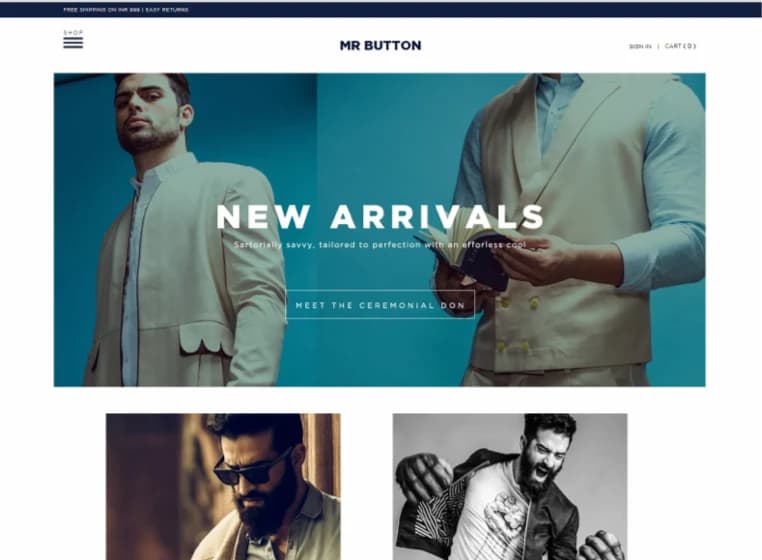
 Men’s clothing brand
The client is a men’s clothing brand, and Techuz built its web store, admin module and shopper app in about 3 months. The shopper app is a progressive web app, a website that installs and works like an app. Stock is tracked for every product option and feeds order tracking, shipping and invoicing, so orders move from stock to shipment without manual updates.
The client is a men’s clothing brand. Its range covers shirts, t-shirts, polos, travel pants, trousers, Nehru jackets, shackets, bandhgalas and kurtas.
Two groups use what we built. Shoppers buy clothes on the web store or in the progressive web app. The brand’s staff work in the admin module, managing inventory, orders, shipping and invoices.
The client wanted an online store that looked and felt like its brand. It also needed a way to follow every shipment once an order went out.
The tricky part was stock. Many products came with customisation options, and the count had to stay right for each one as orders came in.
Two choices shaped this store. We track stock for every product option, and we built a custom order dashboard next to the store.
Many of the client’s products come with customisation options. We built inventory management that counts stock for each product and for each of its options.
Here’s how it works. As orders come in, the count for that product and option changes, so the admin module stays accurate.
Inventory then feeds order tracking, shipping and invoicing. Each order moves from stock to shipment without anyone updating it by hand.
The store runs on WooCommerce, the shop plugin for WordPress. The easy option was to run orders from WooCommerce’s own admin alone. We built a custom order dashboard in Laravel, a PHP framework, alongside it.
Here’s how it works. The dashboard has its own API, a way for other software to talk to it, and its own logic. It also connects to third-party systems.
We started with wireframes and UI/UX design, then built the web store on WooCommerce with the custom Laravel order dashboard. Shipping and order tracking run through Shipway, a shipping service. We also built the admin module and the progressive web app for shoppers, and wrote user guides.
Inventory per product and customisation option
We started from wireframes and design, then built the store, the order dashboard and the progressive web app.
The client’s store is live, with a web store, admin module and progressive web app built around the brand. Stock stays right for every option, so orders go straight to shipping and invoicing. Staff run the day-to-day from one place, with the order dashboard for reporting. Shoppers can follow each order after it ships.
It depends on how many products and options you sell, what you connect the store to, and whether you need an app too. The client’s web store, admin module and progressive web app took about 3 months.
Count stock for each option, not just each product, so every order takes from the right count. For the client, stock per product and option feeds order tracking, shipping and invoices, and the admin module stays accurate.
Yes. WooCommerce can run your store while a separate app, built in a framework like Laravel, handles work its admin doesn’t cover. The client added a Laravel order dashboard because WooCommerce’s admin lacked the reporting depth the client needed.
Tell us what you're building. We reply within 24 hours and send a ballpark estimate within 48.