Order from their phone
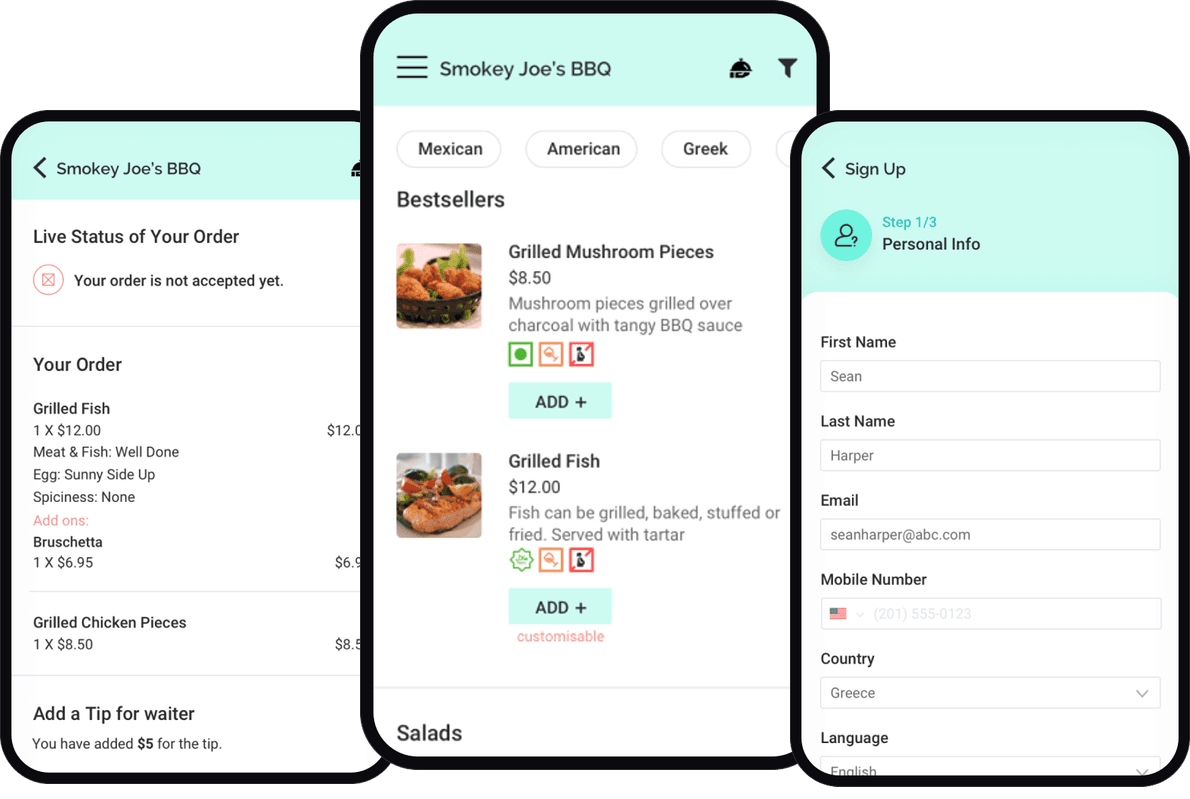
Menu and ordering in the app, after a quick sign-up

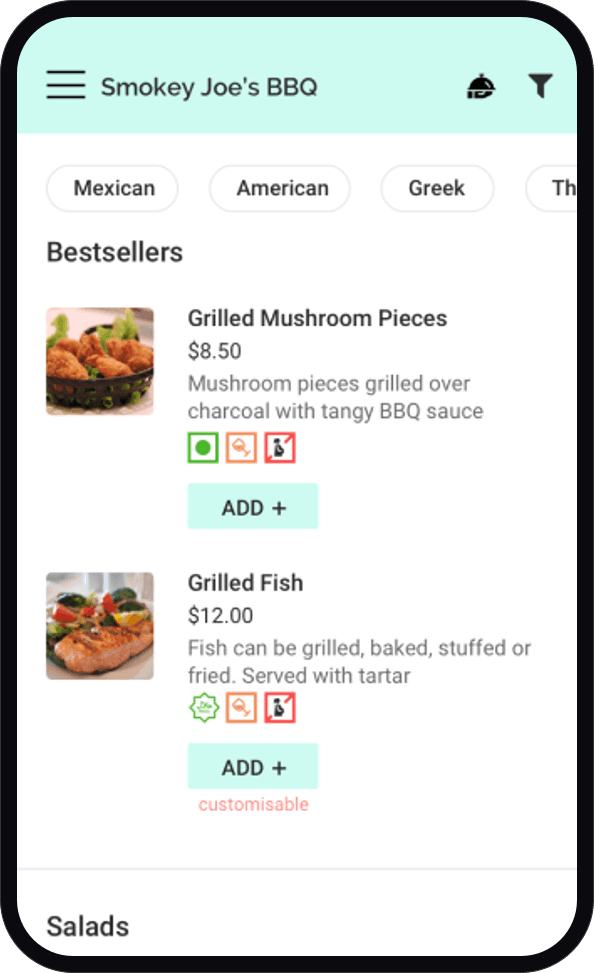
Diners scan the QR code on their table, browse the menu, order and pay the bill from their phone.
 Restaurant SaaS
This restaurant SaaS lets diners scan a QR code at their table, see the menu, order and pay the bill from their phone. Order status updates live, and the app works in English, French, Mandarin and Spanish. Techuz built the iOS and Android apps, the web application with its restaurant admin panel, and the backend behind them in about six months.
The client runs a SaaS product for restaurants. Diners order and pay from their own phones, right at the table, and restaurants manage their side from an admin panel.
The client also wanted to know its regular customers. Building a customer membership, with a record of loyal customers in its own database, was part of the plan.
The idea is simple: scan, order, pay. The tricky part is that a busy restaurant has lots of diners doing it at once. Every one of them wants to know where their order is.
Three choices shaped this app. We built iOS and Android apps in React Native and pushed order updates over WebSockets (a connection that stays open). We also set up the backend for many diners at once.
The easy option was a web page that opens straight from the QR code, with nothing to install. We built iOS and Android apps in React Native instead, a framework that makes both apps from one codebase.
Here’s how it works. Each diner signs up in the app, then scans the table’s QR code to open the menu. Because every diner has an account, the client keeps a record of its loyal customers.
The easy option was polling, where the app asks the server again and again whether anything has changed. We used WebSockets instead, so the server can send each update the moment it happens.
Here’s how it works. When an order’s status changes, the server pushes the change straight to the diner’s phone. Nothing waits for the next check.
A full restaurant means lots of people ordering at the same time. We spread the load across servers with load balancing, added caching and kept data storage efficient.
Load balancing shares the traffic between servers. Caching keeps frequently used data ready, so the database isn’t asked the same thing over and over.
Diners use the iOS and Android apps. Restaurants run their side from the admin panel, and a Node.js backend on AWS connects the two.
Menu and ordering in the app, after a quick sign-up
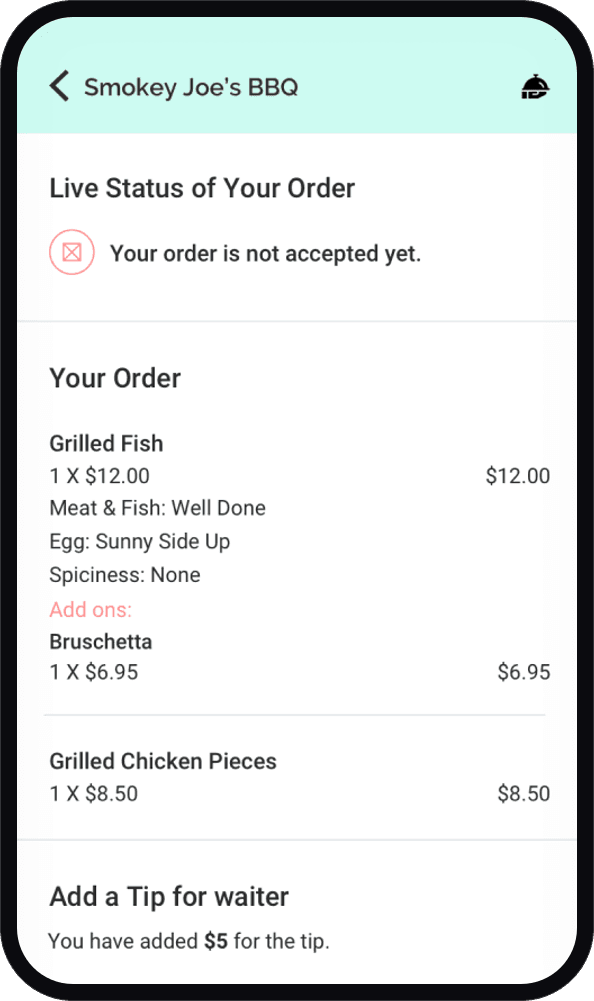
Live order status over WebSockets
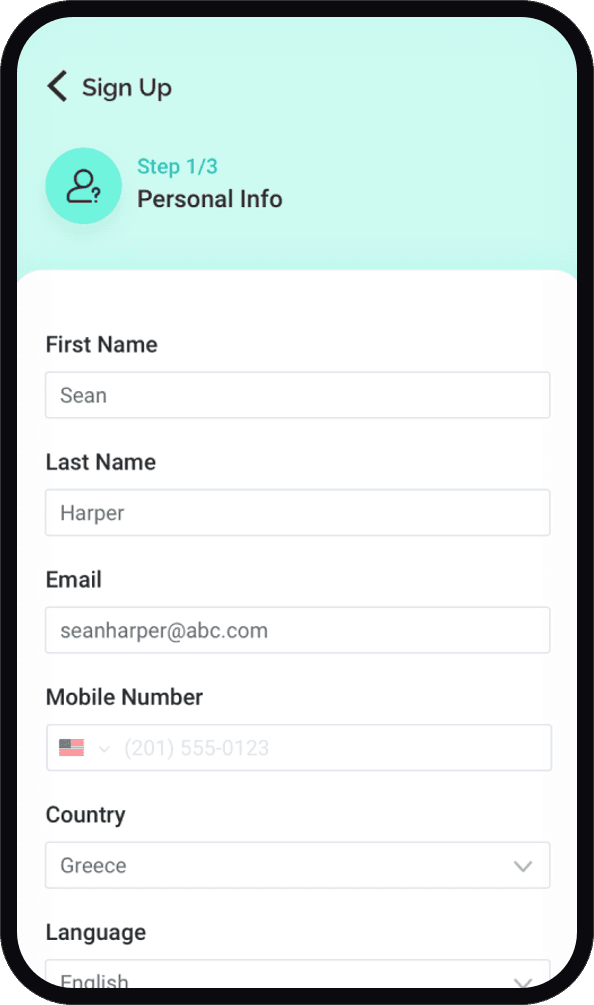
English, French, Mandarin and Spanish
We took the project from wireframes and UI/UX design to the web application and both mobile apps, then wrote the user guides.
5people
Diners can go from scanning the table’s code to paying the bill without leaving their phone. Order status reaches them the moment it changes. The client’s record of loyal customers sits in its own database, ready for a membership. Restaurants run menus and orders from their own admin panel.
The apps continue to work incredibly well for us. They got the job done within the budget and timeline promised, a rarity among app developers.

5.0 out of 5 on Clutch, Feb 2018
CEO, Software Company
A web page is quicker for a first visit, because there’s nothing to install. An app fits better when you want accounts, a membership and a record of regular customers. This client chose React Native apps for exactly that reason.
Use WebSockets, an open connection that lets the server push each update to the phone as it happens. Polling, where the app keeps asking, shows changes later. This app pushes every status change over WebSockets.
The time to build a QR ordering app for restaurants depends on how many platforms, languages and payment steps you need. This one took about six months, covering the iOS and Android apps, the web application and the admin panel.
Tell us what you're building. We reply within 24 hours and send a ballpark estimate within 48.