
Posted on
September 14, 2026
Updated on
September 18, 2026
Read time
 12 mins read
Quick Answer: Migrating a web application to the cloud is a five-step sequence, and it is the same sequence on AWS, Azure, and Google Cloud: assess the dependencies, data volume, downtime tolerance, and compliance constraints; choose rehost, replatform, or refactor; plan the data migration, which is the step that decides whether cutover succeeds; cut over with a rehearsed rollback path; and set up cost governance before launch, not after the first invoice.
The cost warning is not theoretical: Flexera’s 2026 survey of 753 cloud decision-makers puts wasted cloud spend at 29%, rising for the first time in five years, with 85% naming cost management their top challenge, ahead of security. Which provider matters less than vendors suggest; the sequence, the rehearsal, and the governance matter more.
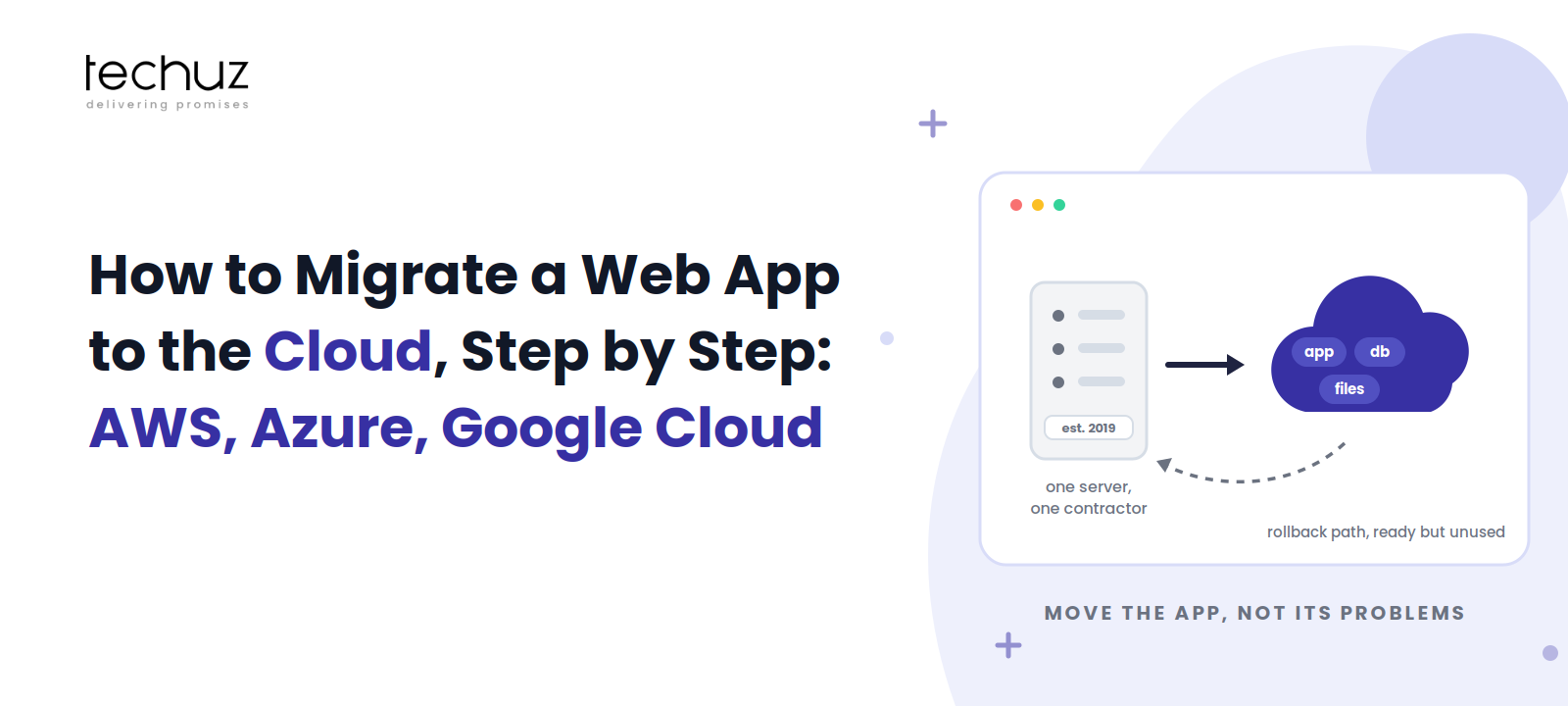
Here is the situation this guide is written for. Your application runs on one server a contractor set up in 2019. It has worked, mostly, which is why nobody touched it. Now the limits are visible: a resize means downtime, a disk failure means panic, and the backup story is a cron job nobody has tested. You know the answer is “the cloud.” Then you open any provider’s documentation and find a catalog of two hundred products, each assuming you already know which ones you want.
You don’t need the catalog. You need the sequence. This is the provider-agnostic migration sequence we run as part of our cloud engineering work within web development services engagements, followed by the honest version of the AWS vs Azure vs Google Cloud comparison: the five decisions where they actually differ for a mid-size web application, and the many places where they don’t.
What Cloud Migration Fixes, and What It Faithfully Preserves
Moving to the cloud genuinely fixes a specific list of things: hardware failure as an existential event, capacity as a purchasing decision with lead time, backups as an act of faith, and the single physical point of failure that your 2019 server is. Managed databases, snapshots, load balancers, and infrastructure you can recreate from a script are real, large improvements, and for most single-server applications they justify the move on their own.
Here is what migration does not fix, and this is the most common failure in the whole endeavor: the cloud faithfully preserves your architecture’s problems. Slow queries are slow on faster hardware. An app that stores sessions on local disk still can’t run on two servers. Untested backups remain untested. Teams that skip this reckoning perform what the industry politely calls “lift and shift” and privately calls moving the mess: same problems, new invoice, and the invoice is now elastic. The assessment step exists to catch exactly this, and the pattern is close cousin to the one we mapped in load-bearing code: infrastructure change is not a substitute for architectural honesty.
The Five-Step Sequence
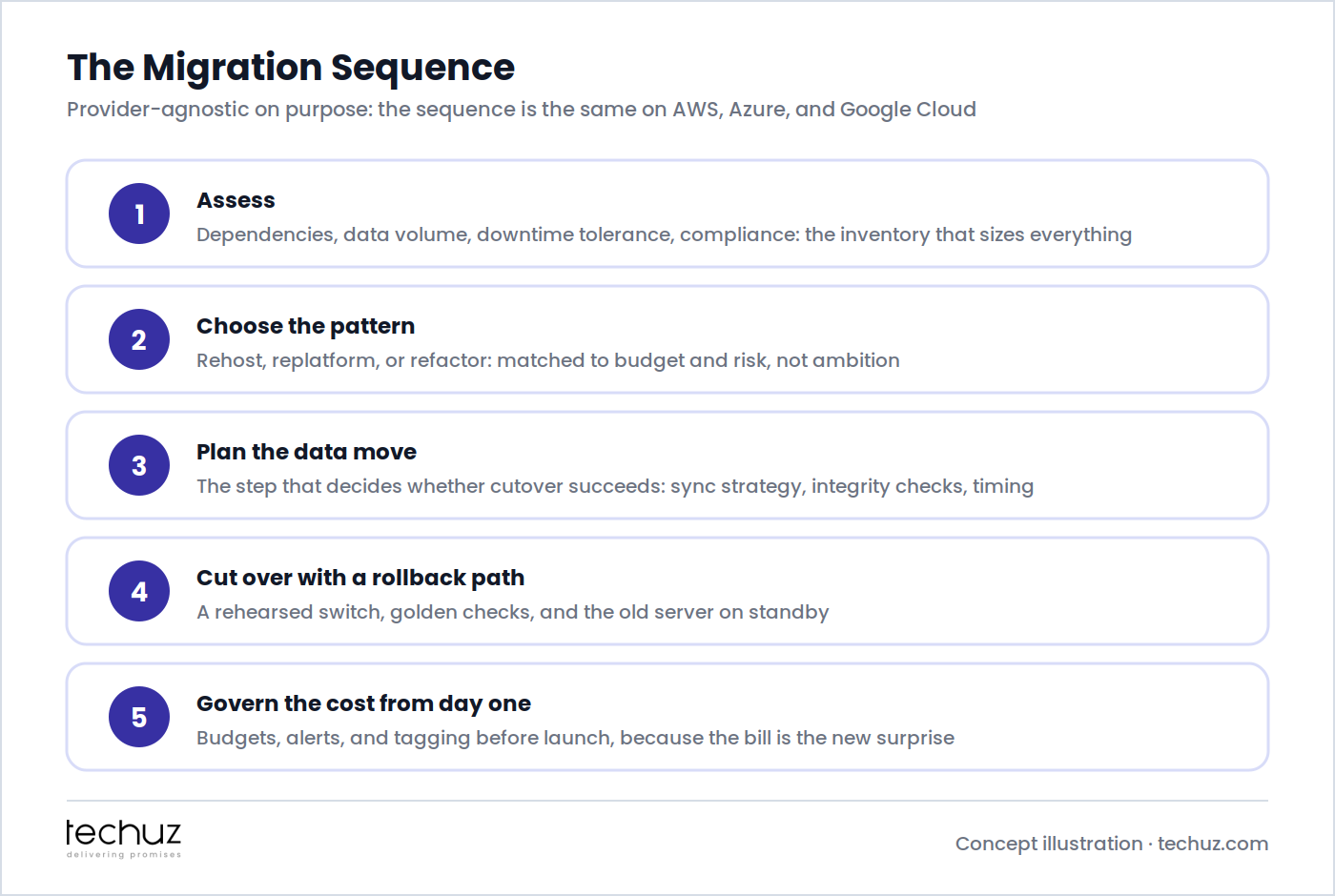
Step 1: Assess: Dependencies, Data Volume, Downtime Tolerance, Compliance
The assessment is four lists, and everything downstream is sized by them. Dependencies: everything the application talks to (databases, file storage, cron jobs, email, third-party APIs, that FTP integration nobody remembers) because the migration moves the whole web, not just the app, and the dependency you forget is the one that breaks silently at 2 a.m. after cutover. Data volume and change rate: how much data, and how fast it changes, which together determine whether the final sync takes minutes or a weekend. Downtime tolerance: the honest business answer, in minutes or hours, agreed with whoever owns revenue, because it selects the cutover strategy and its cost. Compliance: where data must live (residency), how it must be encrypted, and what your customers’ contracts already promise, checked now rather than discovered during a customer’s security review later.
A useful forcing function: try to draw the current architecture on one page. If nobody can, that diagram is the first deliverable, and its absence explains more about the 2019 server than any monitoring tool will.
Step 2: Choose the Migration Pattern: Rehost, Replatform, or Refactor
| Pattern | What it means | Cost and timeline | Risk profile |
|---|---|---|---|
| Rehost (“lift and shift”) | Same app, same architecture, on cloud VMs | Lowest; days to weeks | Low migration risk; preserves every existing problem and usually the highest running cost |
| Replatform (“lift and improve”) | Same app; swap components for managed ones: database, file storage, load balancer | Moderate; weeks | The sweet spot for most mid-size apps: real reliability gains, contained scope |
| Refactor | Rework the application for cloud-native services, containers, or serverless | Highest; months | A development project wearing a migration’s name; justified by specific needs, not by fashion |
The default recommendation for the 2019-server situation is replatform: move the application onto a VM or container service, and hand the database, file storage, and TLS to managed services, because those are where the reliability risk lives. Rehost is legitimate when a deadline (a data-center exit, an expiring contract) forces speed; just schedule the improvement pass, or the temporary becomes permanent. Refactor when you have evidence the architecture itself is the constraint, not because a diagram looked modern. And the containerize-or-not question belongs here, answered the same way: containers pay when you deploy often or run several services; a single monolith visited twice a year does not need Kubernetes to reach the cloud.
Step 3: The Data Migration Plan, the Part That Decides Whether Cutover Succeeds
Applications are easy to move; they’re stateless files. The database is the migration. The plan has three parts. The bulk copy: an initial transfer of the full dataset, using the target’s import tooling or the provider’s migration service, done days before cutover, timed so you know exactly how long it takes. The sync strategy: how changes made after the bulk copy reach the new database: replication where the engines support it, or a planned write-freeze window where they don’t; your downtime tolerance from step 1 decides which. The integrity checks: row counts, checksums on critical tables, and a handful of known records verified by eye, because “the import finished” and “the data is right” are different sentences, and only one of them lets you sleep.
Two traps worth naming. Engine version drift: the 2019 server is often running a database version the managed service no longer offers, so the migration silently includes an upgrade; test the app against the new version on staging, not on cutover night. And files: user uploads living on the server’s disk must move to object storage, and the app must learn the new paths, which is a small code change that has ambushed many “no code changes” migrations.
Still on the server the contractor set up?
Techuz cloud migration engagements deliver the assessment, the pattern recommendation with costs, the rehearsed cutover with a rollback path, and the cost guardrails, on AWS, Azure, or Google Cloud, matched to your estate rather than our preference.
Step 4: Cutover With a Rollback Path, and the Dress Rehearsal Nobody Runs
Werner Vogels, Amazon’s long-time CTO, compressed cloud engineering’s founding assumption into five words:
“Everything fails, all the time.”
Werner Vogels, CTO, Amazon
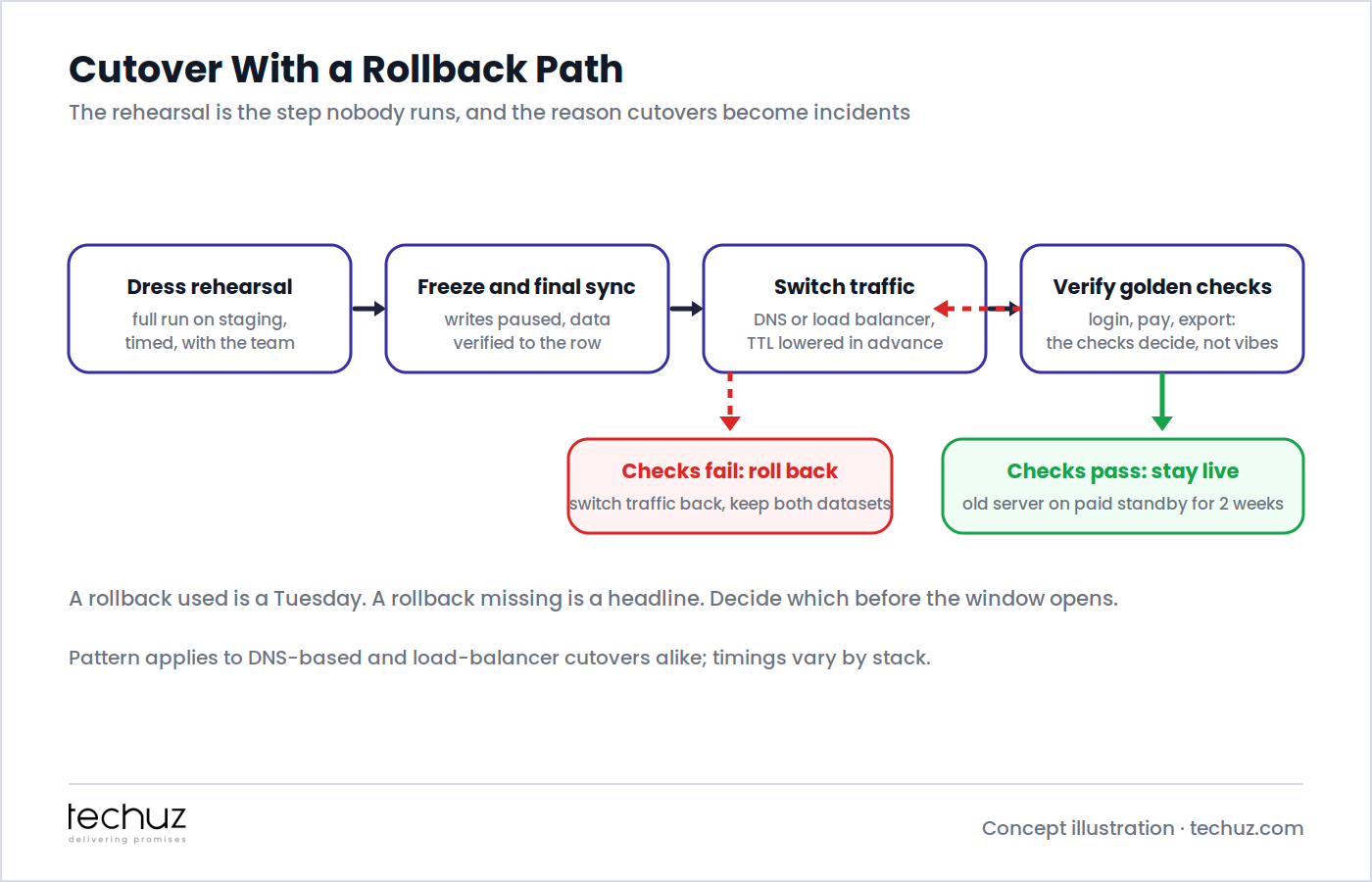
Cutover night is when you design for that sentence. The sequence: a dress rehearsal on staging, running the entire cutover end to end with the whole team, timed, a week before the real one; it is the step nearly everyone skips and the single best predictor of a calm cutover, because rehearsals fail privately and cheaply. Freeze and final sync: writes paused, the last changes replicated, integrity checks green. The switch: DNS with TTLs lowered days in advance, or a load balancer flip if you have one. Golden checks: a pre-agreed list (log in, take a payment, run the export, receive the email) where the checks decide success, not vibes. Pass, and the old server stays on paid standby for two weeks; that standby fee is the cheapest insurance in the project. Fail, and you switch back, keep both datasets for reconciliation, and reschedule. A rollback used is a Tuesday. A rollback missing is a headline.
Step 5: Cost Governance From Day One, Because the Bill Is the New Surprise
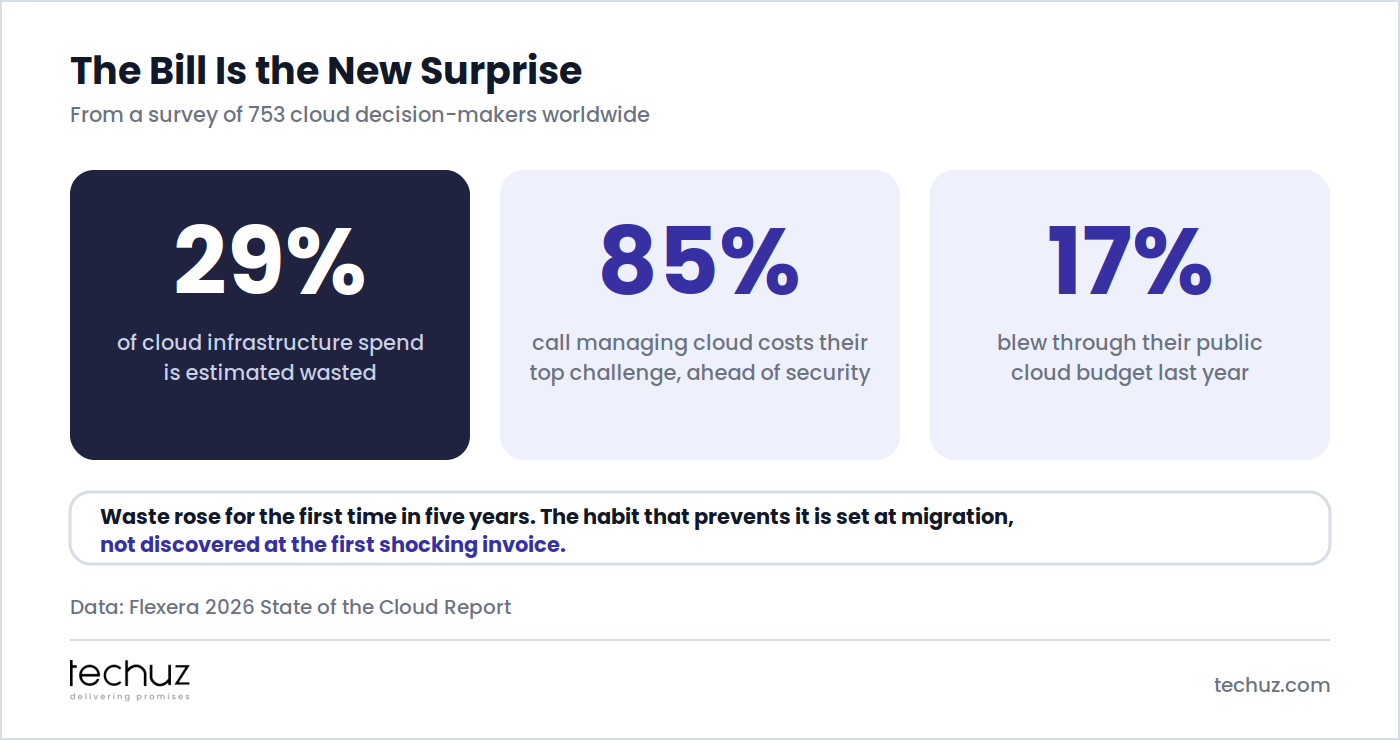
On the old server, cost was boring and fixed. In the cloud it is elastic in both directions, and the industry’s report card is sobering: Flexera’s 2026 State of the Cloud Report finds 29% of infrastructure spend estimated wasted, the first rise in five years, with 85% of organizations calling cost management their top challenge and 17% blowing through their budget last year. The governance that prevents this costs an afternoon at migration time: a budget with alerts at 50/80/100%, tags on every resource so the bill has line items instead of mysteries, right-sized instances (start smaller than instinct suggests; resizing up is a reboot), a scheduled monthly review, and deletion of the migration’s scaffolding (the copies, the test instances, the standby server after its two weeks) with a calendar date. The habit is set at migration or discovered at the first shocking invoice; there is rarely a third option.
AWS vs Azure vs Google Cloud: The Five Decisions That Actually Differ
For a mid-size web application, all three clouds are more than capable, and most comparison content overstates the differences. In enterprise practice they are close: Flexera measures AWS at 83% and Azure at 79% of enterprises running active workloads, with Google Cloud a distant third. Here are the five decisions where the choice genuinely changes something:
| Decision | AWS | Azure | Google Cloud |
|---|---|---|---|
| Your existing estate | Wins by default when the team already knows it; the largest ecosystem and hiring pool | Wins outright for Microsoft shops: AD, 365, and enterprise agreements make it the path of least resistance | Wins where Workspace and data tooling already anchor the company |
| Managed app hosting | Widest menu, most assembly required (Elastic Beanstalk, ECS, App Runner) | App Service is the most mature “just run my web app” product of the three | Cloud Run is the cleanest container-to-URL path if you’re containerizing anyway |
| Managed databases | Broadest engine coverage and migration tooling (RDS, DMS) | Strongest for SQL Server workloads by a wide margin | Cloud SQL is comparable for Postgres and MySQL; BigQuery is the analytics standout |
| Pricing mechanics | Most granular, most levers, easiest to misconfigure expensively | Hybrid-benefit licensing discounts matter if you hold Microsoft licenses | Sustained-use discounts apply automatically; friendliest defaults for small teams |
| Region and residency fit | Most regions overall; check your specific country | Often the strongest sovereign and government-cloud story | Fewer regions; verify residency requirements early |
Read the first row twice, because it decides most real cases: the right cloud is usually the one your accounts, contracts, and team skills already point at, exactly the estate logic we applied to stacks in the tech stack decision framework. Choosing the “benchmark winner” your team has never operated is how migrations acquire a second project nobody scoped.
The Migration Readiness Checklist
- The one-page architecture diagram exists, and the dependency list has an owner.
- Downtime tolerance is a number, agreed with the business, not an assumption.
- The pattern (rehost, replatform, refactor) is chosen for reasons written down.
- The data plan covers bulk copy, sync, and integrity checks, with timings measured on staging.
- The dress rehearsal is on the calendar before the cutover is.
- Golden checks are written, and the rollback path is agreed and reversible.
- Budgets, alerts, and tagging are configured before traffic switches.
Seven yeses and cutover night is administration. Anything less, and the missing item is the incident report’s first paragraph, pre-written.
Retire the 2019 server properly
As a custom web development company in the USA market with cloud engineering across AWS, Azure, and Google Cloud, Techuz migrates the application and fixes the architecture debt worth fixing on the way, with the rollback path and the cost guardrails as deliverables.
FAQs
How long does it take to migrate a web application to the cloud?
For a typical mid-size application, a replatform migration runs a few weeks end to end: roughly a week of assessment, one to two weeks of environment build and staged data copies, a rehearsal, and a cutover window measured in hours. Rehosts run faster; refactors are development projects measured in months and should be scoped as such.
Can we migrate to the cloud with zero downtime?
Near-zero is achievable with database replication and a load-balancer or low-TTL DNS switch, at the cost of more setup and rehearsal. Most businesses discover a planned 30-to-60-minute window at a quiet hour is cheaper and entirely acceptable. The honest downtime-tolerance number from the assessment decides which path you pay for.
Should we containerize the application before migrating?
Only if it earns its keep: containers pay when you deploy frequently or run multiple services. A single monolith deployed a few times a year migrates perfectly well onto a VM or a managed app service, and can be containerized later if the deployment cadence changes. Containerizing during the migration adds risk to the riskiest week of the project.
Which cloud is cheapest for a web application: AWS, Azure, or Google Cloud?
For a mid-size web app the list-price differences are smaller than the cost of operating a cloud your team doesn’t know. Real savings come from governance (right-sizing, budgets, deleting scaffolding) and from estate effects like Azure’s licensing benefits for Microsoft shops or Google’s automatic sustained-use discounts. Industry data shows 29% of cloud spend wasted on average; the provider choice moves costs by far less than governance does.
What is the most common cloud migration mistake?
Migrating the architecture’s problems along with the application: slow queries, local-disk sessions and files, untested backups, all faithfully reproduced on new infrastructure. The second most common is skipping the dress rehearsal, which is why cutovers become incidents. A SaaS development company or cloud partner worth hiring will insist on both the improvement pass and the rehearsal, because they’re the two steps that determine how the story ends.
Sources
- Flexera, 2026 State of the Cloud Report (753 cloud decision-makers)
- Flexera press release: cloud value rising while AI waste grows (provider usage figures)
- Werner Vogels, All Things Distributed (source of “Everything fails, all the time”)
Looking for timeline and cost estimates for your app?
Contact us

Ankush Mathur

Ankush Mathur leads technology at Techuz as CTO & Technical Project Manager, where he helps startups and enterprises architect and scale their software. He's spent his career moving from hands-on development to technology leadership, and enjoys writing about engineering practices, AI, and the decisions behind building solid products.